
Process Models and Levels: Case, Variant, Process Model
Noreja looks at a process on four levels: from one single case up to the process model of all cases. Knowing which level you're looking at helps you read the figures in the Analyzer and on dashboards, and ask Minerva the right questions. This page explains the four levels with the Purchase-to-Pay process as an example.
Cases and the Perspective
A case is one run of a process from start to end, for example one purchase order from the requisition to the payment. Each case consists of the activities that were executed for it, each with the time it happened.
A perspective defines which cases and activities belong to a process and in which order the activities are expected to happen. All four levels below always belong to one perspective. The Purchase-to-Pay perspective on this page contains 5,520 cases. Perspectives are built in the Builder; see Create a Perspective.
The Four Levels
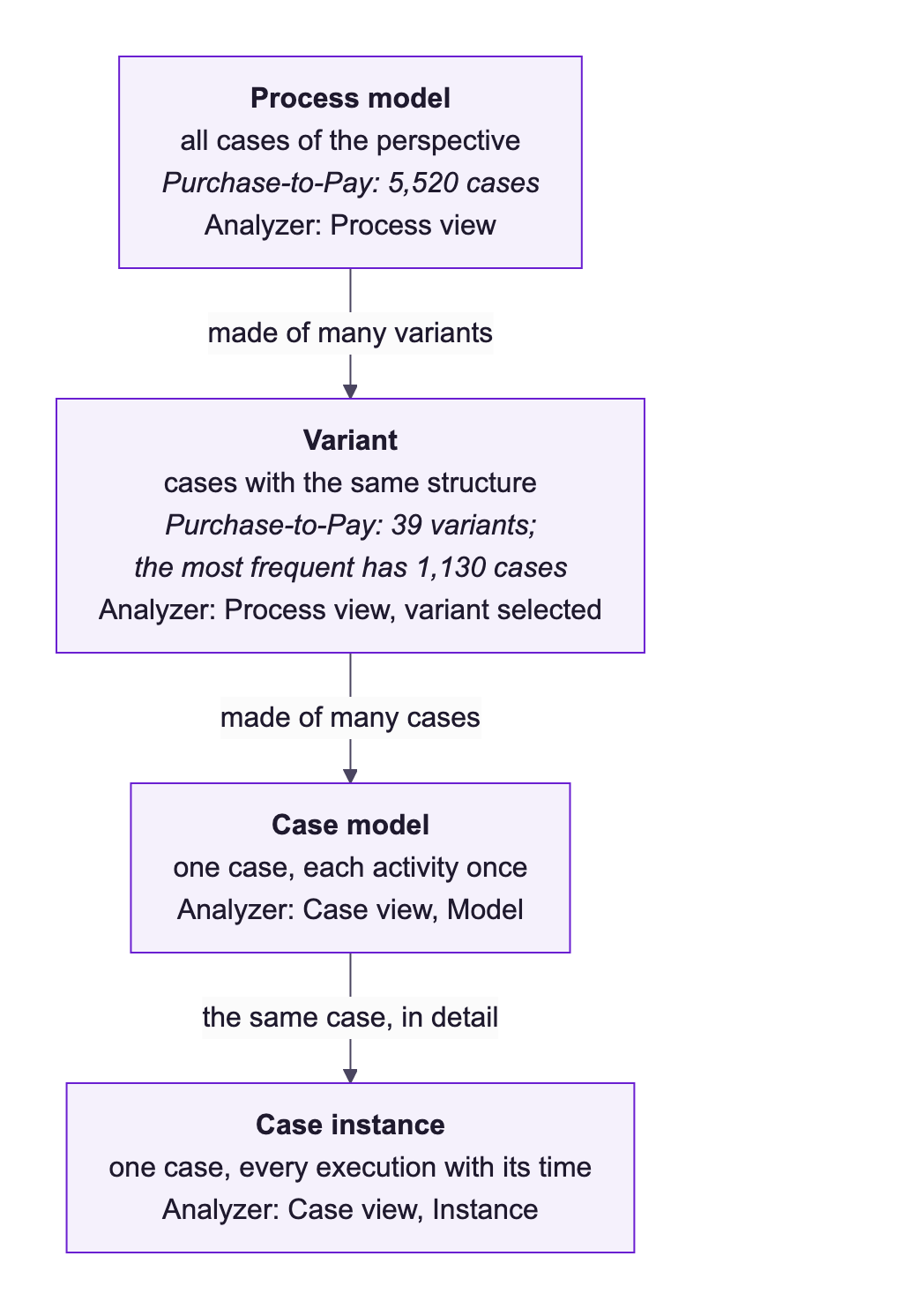
Level | What it is | Where you see it |
|---|---|---|
Process model | All cases of the perspective in one graph: every activity that occurs and how the cases moved between them. | Analyzer, view Process |
Variant | All cases with the same structure: the same activities, connected in the same way. | Variants list in the Process view |
Case model | One case, with each activity shown once. | View Case, switch Model |
Case instance | The same case with every single execution of an activity. | View Case, switch Instance |
The Process Model
The Process view of an analyzer tab shows the process model. Each activity appears once. The number on an activity shows how often it was executed across all cases; it can be higher than the number of cases, for example when an order has several items. The arrows are relationships: the number on one shows how many executions of the activity it starts from continued along it. This is where you see the overall flow, the main paths and the rare exceptions in one picture. For what each number means, see Elements in Noreja Process Graphs; for working with the view, Work with the Process View.
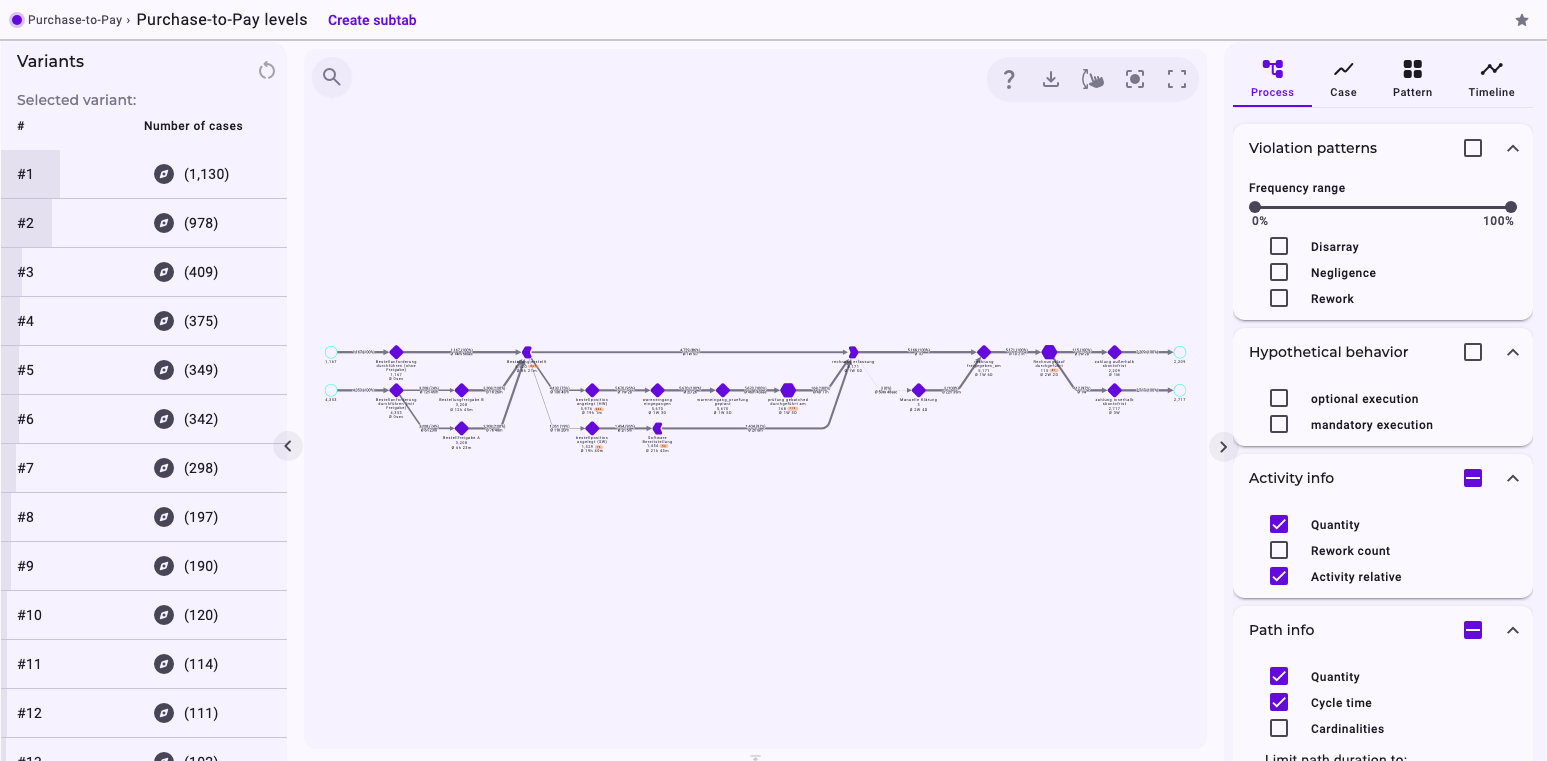
The figures of the process model, such as the average cycle time or the number of violations, always refer to all cases in the tab. If the tab has filters, it's all cases that match them. See From Events to Process Model: What Is Aggregated Where.
Variants
Cases often follow the same route through the process. Noreja groups cases with the same structure into a variant. The Variants list next to the process graph shows them sorted by Number of cases: in Purchase-to-Pay, the 5,520 cases form 39 variants, and the most frequent one, #1, covers 1,130 cases.
- Click a variant to see only its structure in the graph. The list shows it as Selected variant; click Reset selection (the circular arrow) to see all cases again.
- Click the round icon next to a variant (Open all cases of this particular variant) to switch to the Case view with just the cases of that variant.
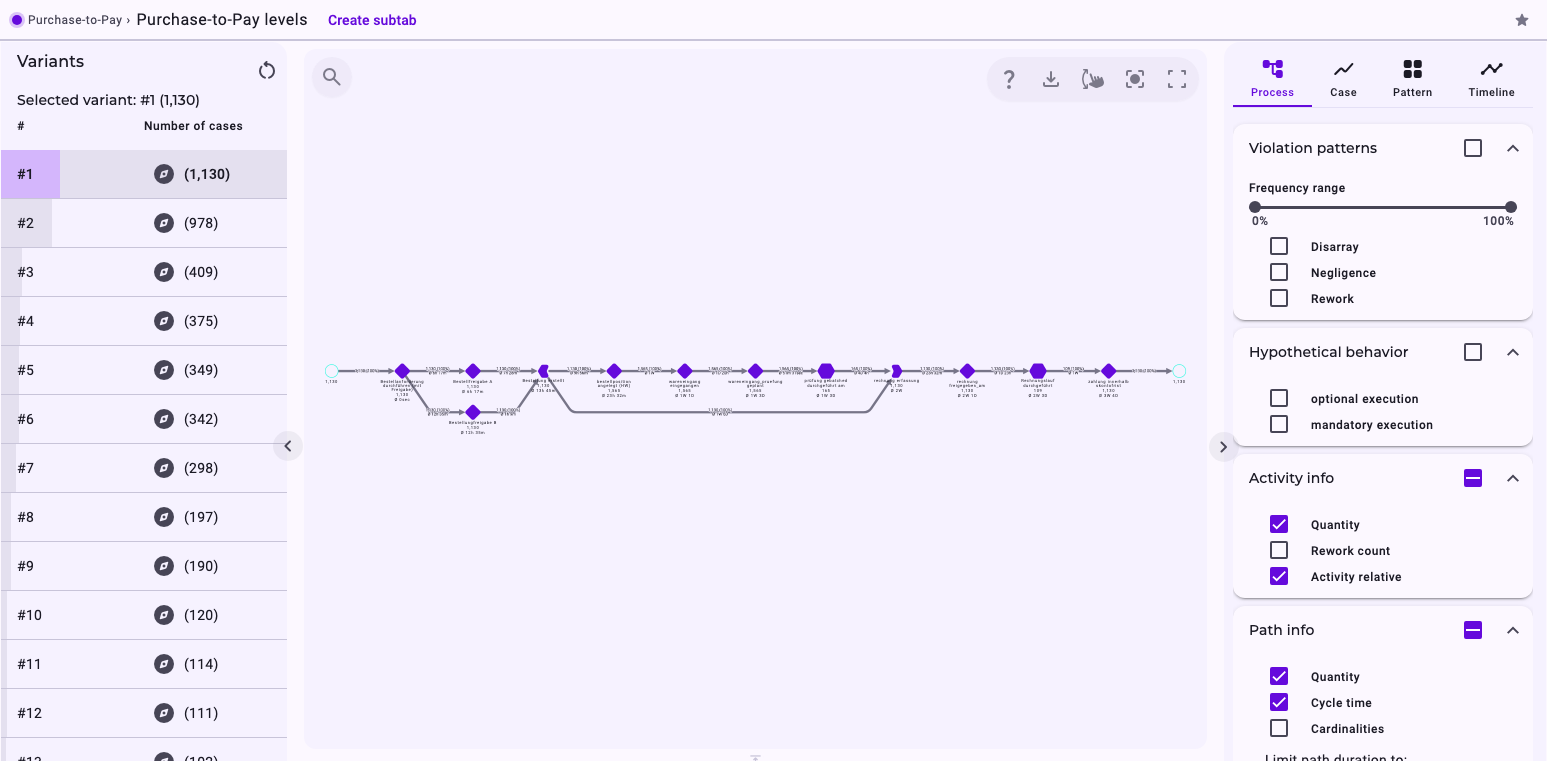
A few frequent variants usually cover most cases, and many rare variants cover the rest. In Purchase-to-Pay, the seven most frequent variants cover 3,881 of the 5,520 cases (70%). The rare ones are often worth a look: they contain the exceptions, detours and repetitions.
Tip: Variant numbers follow the number of cases. After a new import of the perspective, the numbers and the order of the variants can change.
Case Model and Case Instance
The Case view lists the cases of the tab under Cases. Click a case to see its graph; see Work with the Case View. At the top of the settings you switch between two levels of detail:
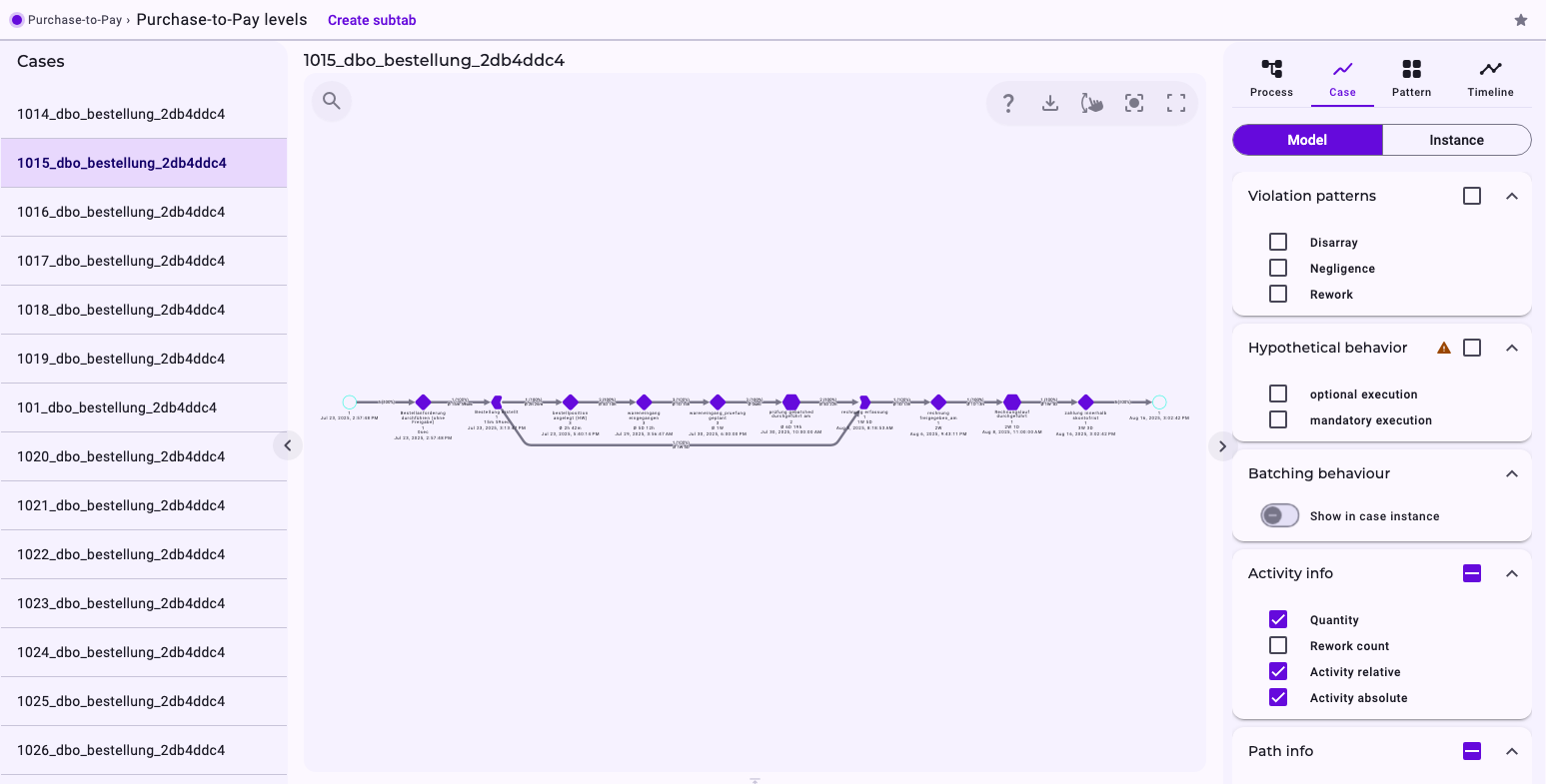
- Model (the case model) shows each activity of the case once. If an activity was executed several times, it still appears once, with the number of executions.
- Instance (the case instance) shows every execution separately, each with its own time. Use it to follow exactly what happened in one case.
Case 1015\_dbo\_bestellung\_35173271 in Purchase-to-Pay is a purchase order with three hardware items. Each item was created, received and checked on its own. The case model shows this part of the process once, with the number of executions on each activity:
The case instance shows the three items as three parallel branches, each execution with its own time:
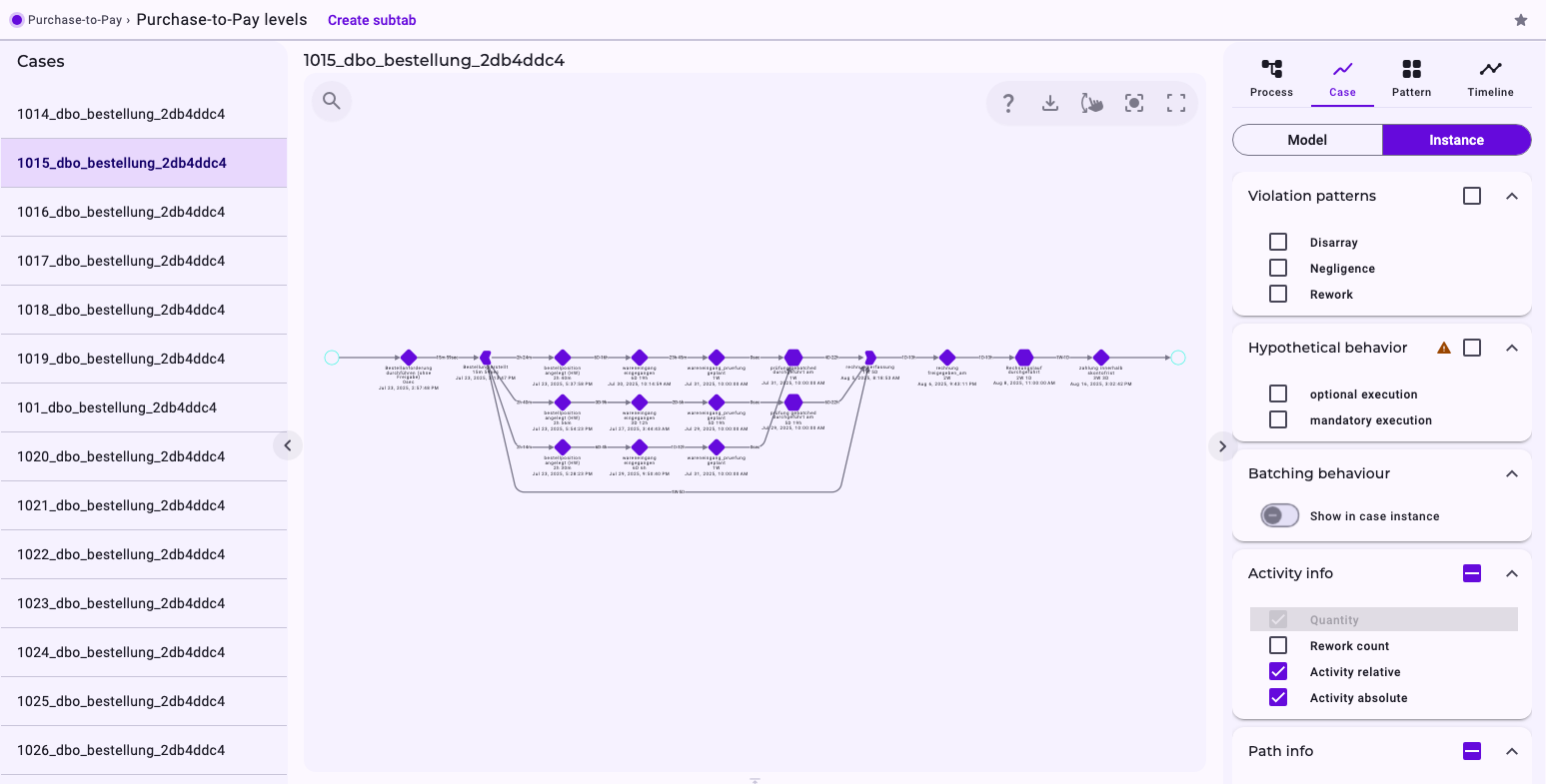
For a case in which every activity happened only once, the two look almost the same.
Expected and Actual Order
The perspective defines in which order the activities are expected to happen. Noreja compares every single case with this expected order. Where a case deviates, you see it on all four levels: activities in the wrong order (Disarray) and skipped activities (Negligence). Noreja also marks activities that were changed after a later activity had already started (Rework). Switch them on under Violation patterns. See Process Patterns: Disarray, Negligence, Rework and Allowed Deviations and The Expected Order: Perspective Hypothesis, Shortcuts and Backjumps.
Which Level for Which Question?
- How does the process run overall, and where are the bottlenecks? The process model.
- What are the typical routes, and which ones are exceptions? The variants.
- What happened in this one order? The case model, and the case instance for every single step.
Related
- From Events to Process Model: What Is Aggregated Where
- Elements in Noreja Process Graphs
- Work with the Process View
- Work with the Case View
- Glossary