
Tutorial P2P - Error Patterns: Process Termination
TL;DR
Goal: Generate processes that end at various points and thereby remain open.
Prerequisites: The previous Simple use cases are configured.
Result: A portion of the cases deliberately ends after purchase requisition, order, order line item, invoice or invoice approval.
The business question
Not every procurement process is fully completed.
Typical questions are:
Where do processes abort particularly often?
Which orders never reach a goods receipt or an invoice?
Which invoices are approved but subsequently not paid?
What is the current state of my process?
For such cases we use the Abort behaviour.
Desired data picture
A normal case runs, for example, through:
Bestellanforderung
→ Bestellung
→ Bestellposition
→ Wareneingang
→ Rechnung
→ Rechnungsfreigabe
→ Zahlung
An open case, by contrast, can end here already, for example:
Bestellanforderung
→ Bestellung
→ Bestellposition
→ End
The last process step is present, all subsequent process objects are missing.
What does Abort do?
Open: 04 Special Behaviour
and choose: Abort (stop process after this slot)
With an Abort, the selected slot itself is still generated.
All subsequent process steps, by contrast, are no longer generated.
Example:
Slot to stop after: bestellung
Result:
Bestellanforderung → Bestellung → Ende
For this case, no downstream order line items, goods receipts, invoices or payments come into being.
Abort is not the same as drop-off
For status columns there is additionally the setting:
Drop-off %
However, this only ends the internal status sequence of the respective table. It does not guarantee that the entire downstream causal chain also ends.
For genuinely open processes we therefore use:
Abort
1. Open processes after the purchase requisition
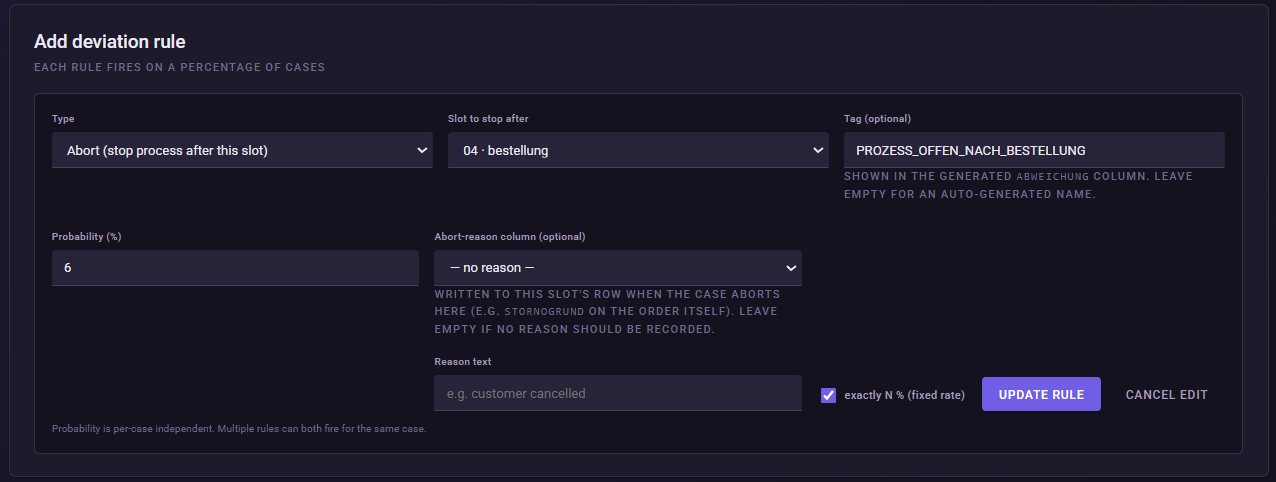
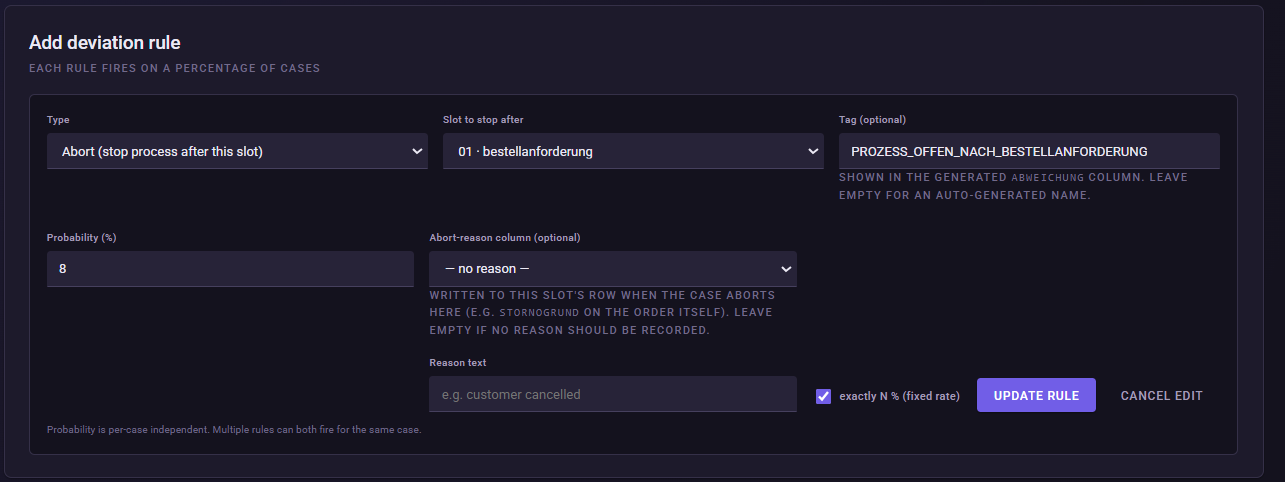
Create a new rule:
Type: Abort
Slot to stop after: bestellanforderung
Probability (%): 8
exactly N % (fixed rate):
enabled
Tag: PROZESS_OFFEN_NACH_BESTELLANFORDERUNG
This way, for 500 cases, this rule selects: 40 cases.
2. Configuring further abort points
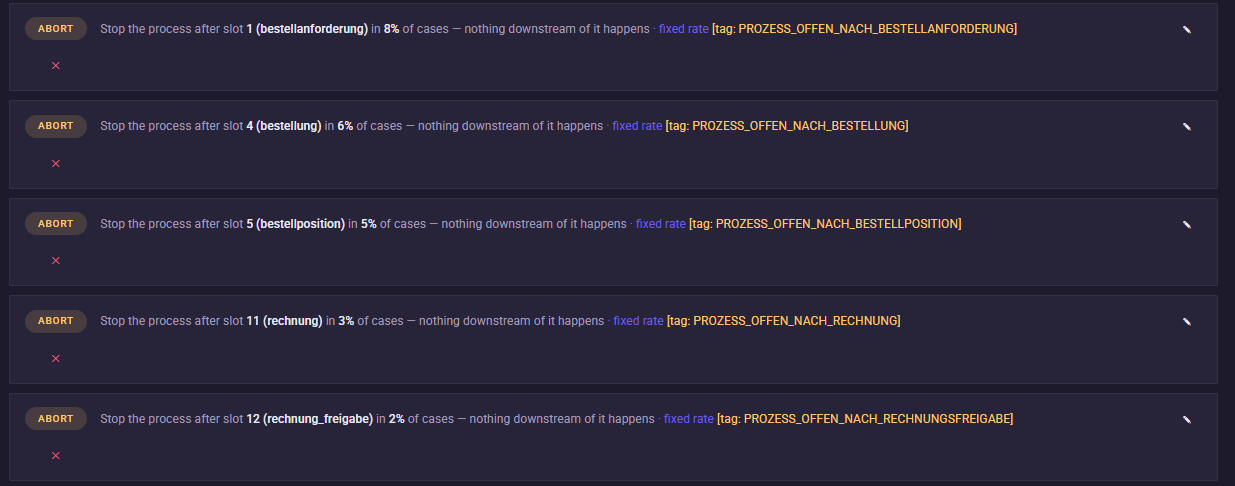
In the Simple P2P model we use several abort points from the existing demo configuration.
| Process ends after | Probability | Tag |
|---|---|---|
bestellanforderung | 8 % | PROZESS_OFFEN_NACH_BESTELLANFORDERUNG |
bestellung | 6 % | PROZESS_OFFEN_NACH_BESTELLUNG |
bestellposition | 5 % | PROZESS_OFFEN_NACH_BESTELLPOSITION |
rechnung | 3 % | PROZESS_OFFEN_NACH_RECHNUNG |
rechnung_freigabe | 2 % | PROZESS_OFFEN_NACH_RECHNUNGSFREIGABE |
For each rule we enable: exactly N % (fixed rate)
This produces reproducible abort rates.
What do the individual abort points mean?
After bestellanforderung
A requirement was created, but no order was placed.
Bestellanforderung → Ende
After bestellung
An order exists, but is not processed further.
Bestellanforderung → Bestellung → Ende
After bestellposition
The order contains line items, but reaches no goods receipt.
... → Bestellposition → Ende
After rechnung
An invoice was recorded, but not approved.
... → Rechnung → Ende
After rechnung_freigabe
The invoice was approved, but no payment comes into being.
... → Rechnungsfreigabe → Ende
This last case in particular is later interesting for working-capital and payment analyses.
Important: The rules can overlap
With exactly N % active, each Abort rule selects its cases separately. For this, the engine determines exactly round(Probability × Number of cases) case indices per rule.
As a result, a case can theoretically be selected by several abort rules.
If, for example, a case was selected for both:
Abort nach bestellung
and:
Abort nach rechnung
it already ends after the order.
The earliest abort point therefore determines the process end point that is actually visible.
The percentage values should therefore be understood as a configured rate per rule and not simply added up into an overall abort rate.
What should I later see in Noreja?
In process mining, several incomplete causal variants should now come into being.
Examples:
Bestellanforderung → Ende
Bestellanforderung → Bestellung → Ende
... → Rechnung → Ende
... → Rechnungsfreigabe → Ende
From this, typical questions arise, such as:
At which point do processes end particularly often?
Which attributes distinguish complete from open cases?
Which suppliers, product groups or requesters occur more frequently in open processes?
How much order volume is tied up in transactions that have not yet been completed?
Difference from the previous use cases
Maverick Buying
→ an intended approval step is bypassed.
Supplier performance
→ the process becomes slower.
Rework
→ an object is worked on again.
Wrong Order
→ activities lie in the wrong temporal sequence.
Abort
→ the process ends completely or pauses at a defined point.
With this, we now also have incomplete cases in the synthetic data set.
Common mistakes / things to watch out for
Select the slot that should still take place. Abort after bestellung means: the order is still generated – only afterwards does the process end.
Do not confuse abort with Drop-off %. Abort ends the downstream causal chain.
Do not simply add up the percentage values.
Several abort rules can select the same case.
Enable exactly N %.
This keeps the configured rates reproducible across repeated training runs.
Result
Our P2P data set now contains, alongside complete processes, deliberately open cases with different end points.
This later allows us not only to analyze process variants and cycle times, but also to investigate:
Why are certain procurement processes not completed?
Next step
As the last Simple use case, we connect process time with a financial effect:
Loss of cash discount and working capital
For this, we deliberately delay payments and investigate when this causes existing cash-discount deadlines to be exceeded.