
Noreja Smart Data Forge
TL;DR
The Noreja Smart Data Forge is a generator for synthetic process data. It is used to create realistic datasets for Process Mining and especially for the analysis of causal process relationships.It is primarily used when no suitable data is yet available for a customer process, real data may not be used due to data protection or confidentiality reasons, or specific process situations are to be generated for tests and demonstrations.
Basic Principle
The Smart Data Forge does not just generate a classic event log. Instead, the underlying database structure of the process is modeled first.
Tables, primary and foreign keys, timestamps, and other attributes are created in such a way that relationships between the various business objects are maintained. Based on this, it is then defined how the objects in the process mutually influence each other and in what chronological order they are created.
This allows for the generation of synthetic data that reflects both the structure of a real source system and the behavior of a real business process.
The Smart Data Forge currently supports PostgreSQL, SQL Server, MySQL and Oracle. The selected database type influences, among other things, data types, identifiers, identity columns, and the generated SQL syntax.
Typical Workflow
1. Define Tables and Entities
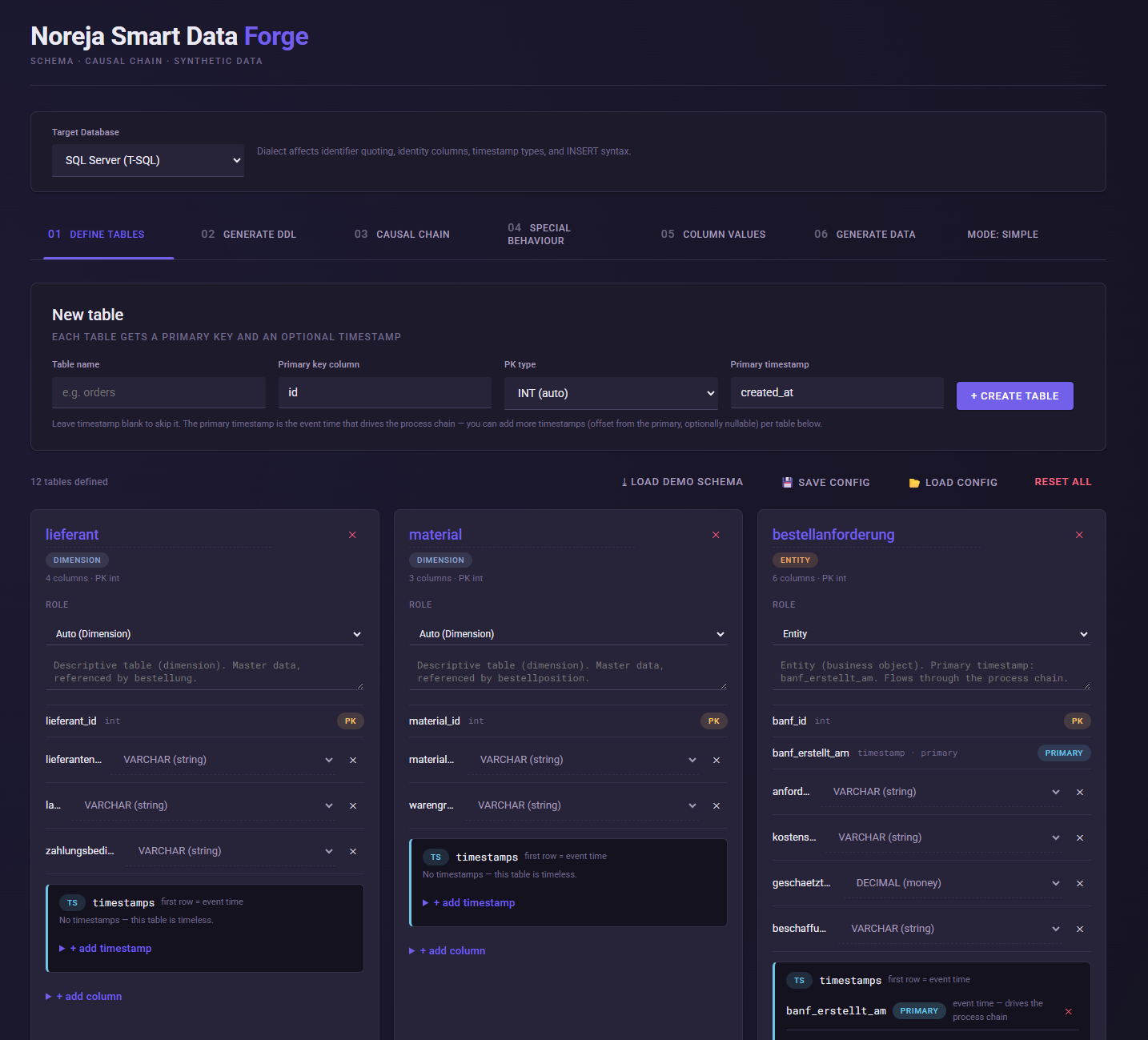
Under Define Tables, the data model of the process is first built.
For each table, table name, primary key, primary key data type, and timestamp, among other things, can be defined. Subsequently, further attributes and foreign keys can be added.
Tables can assume different functions within the data model, for example, business objects, historical tables or activity histories, or master data.
Not every table necessarily requires a timestamp. Pure master data or dimension tables can be timeless. For process-relevant business objects, however, at least one process timestamp is required.
A table can also contain multiple timestamps. The primary timestamp determines the time of the object within the process chain. Additional timestamps can be generated relative to it, for example, for shipping, release, or completion of a process.
For tables that contain multiple activities of a business object, a status column can be used. The different status values are interpreted as successive process activities. For the transitions between these activities, custom time intervals and cancellation probabilities can be configured.
2. Generate SQL Data Model
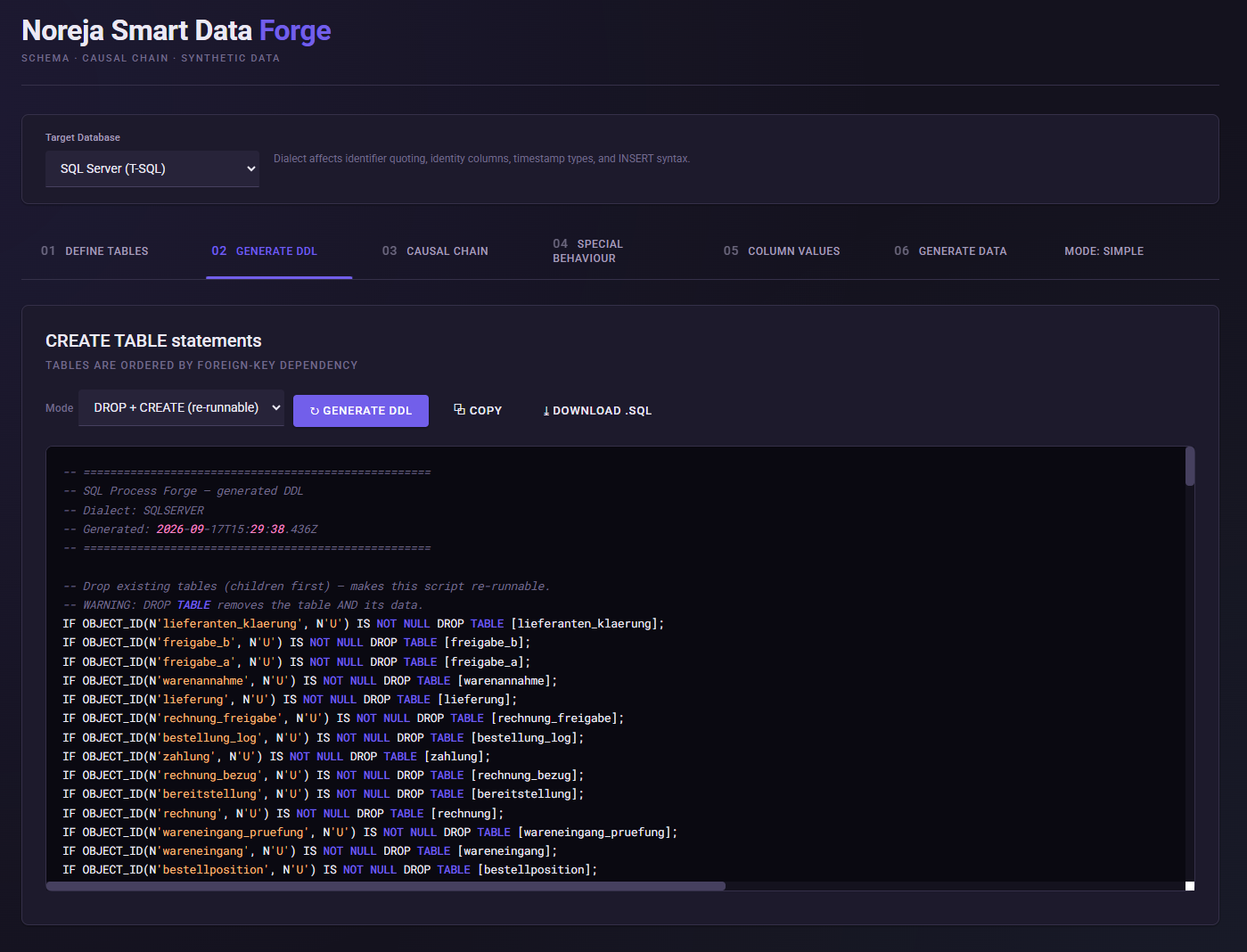
Under Generate DDL, Smart Data Forge generates the SQL structure for the defined data model.
Here, tables are ordered correctly according to their foreign key dependencies. The generated SQL can be copied or downloaded as an SQL file.
Optionally, a repeatable (DROP+CREATE) mode can be used, in which existing tables are first removed and then recreated.
3. Define Causal Process Chain
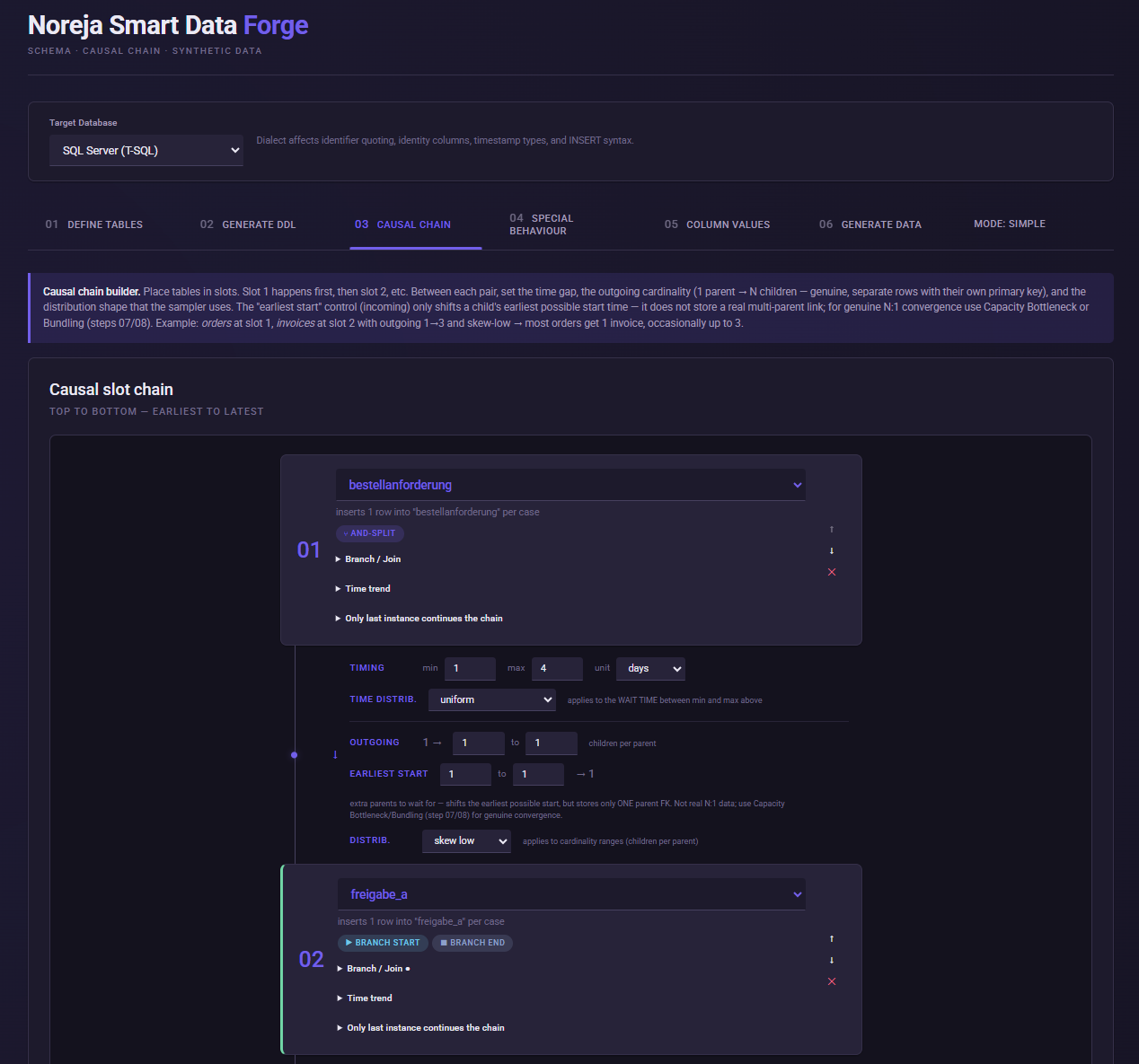
Under Causal Chain, it is defined how the previously defined tables are related to each other in the process.
For this purpose, tables are assigned to process slots. The order of the slots initially describes the causal sequence of the process.
Time intervals can be defined between two process steps. Additionally, it can be specified how many subsequent objects can arise from one object. This allows, for example, 1 such as "one order generates multiple order items" to be simulated.
Various distributions are available for time intervals and cardinalities, so that the generated processes do not consist exclusively of identical sequences.
In addition to simple linear flows, more complex process structures with branches and merges can also be modeled. These include AND and XOR branches as well as joins. Different probabilities can be stored for XOR paths.
In the Run Settings, it is also defined how many cases should be generated, on which date the simulation begins, and over what period the cases are distributed. Optionally, a seed can be specified to reproducibly generate the same random distribution again.
Tables that are not part of the actual process chain can be generated as independent reference or master data.
4. Model Process Deviations
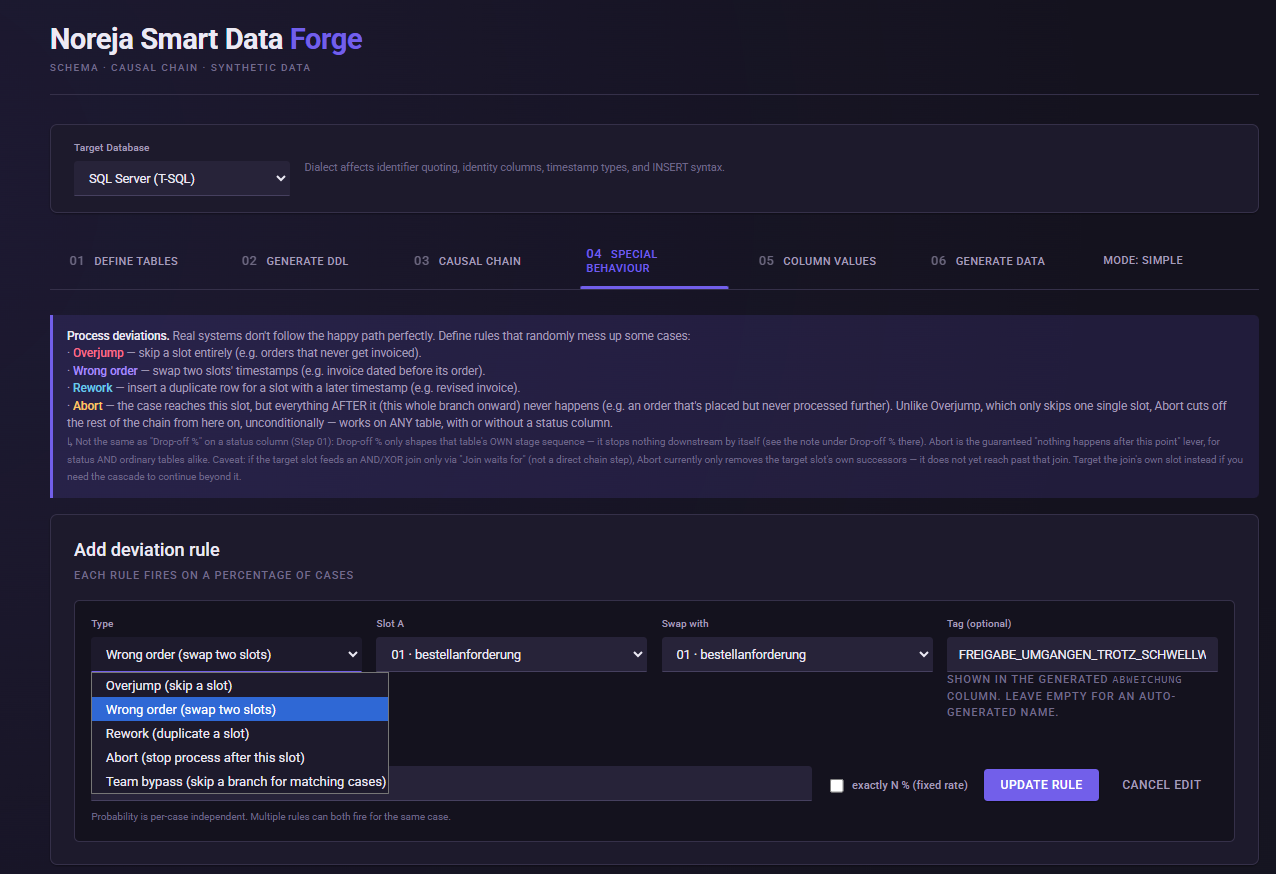
Under Special Behaviour, deviations from the regular process can be specifically generated.
This allows modeling, among other things, skipped activities (Overjump), activities in the wrong chronological order (Wrong Order), repeated or re-executed activities (Rework) and prematurely aborted processes (Abort).
Additionally, certain process paths can be skipped depending on attribute values.
For a deviation, it is determined at which process step it should occur and for what proportion of cases it should apply. Either a probability can be used, or a fixed proportion of the generated cases can be specified.
Multiple deviation rules can apply to the same case simultaneously.
Additionally, Smart Data Forge supports conditional rules. This allows the behavior of a process to be made dependent on generated attribute values. A condition can, for example, change the processing time, influence the probability of a process deviation, or set a specific attribute value.
In this way, not only random deviations can be generated, but also professionally justified relationships between process data and process behavior can be modeled.
5. Configure Attribute Values
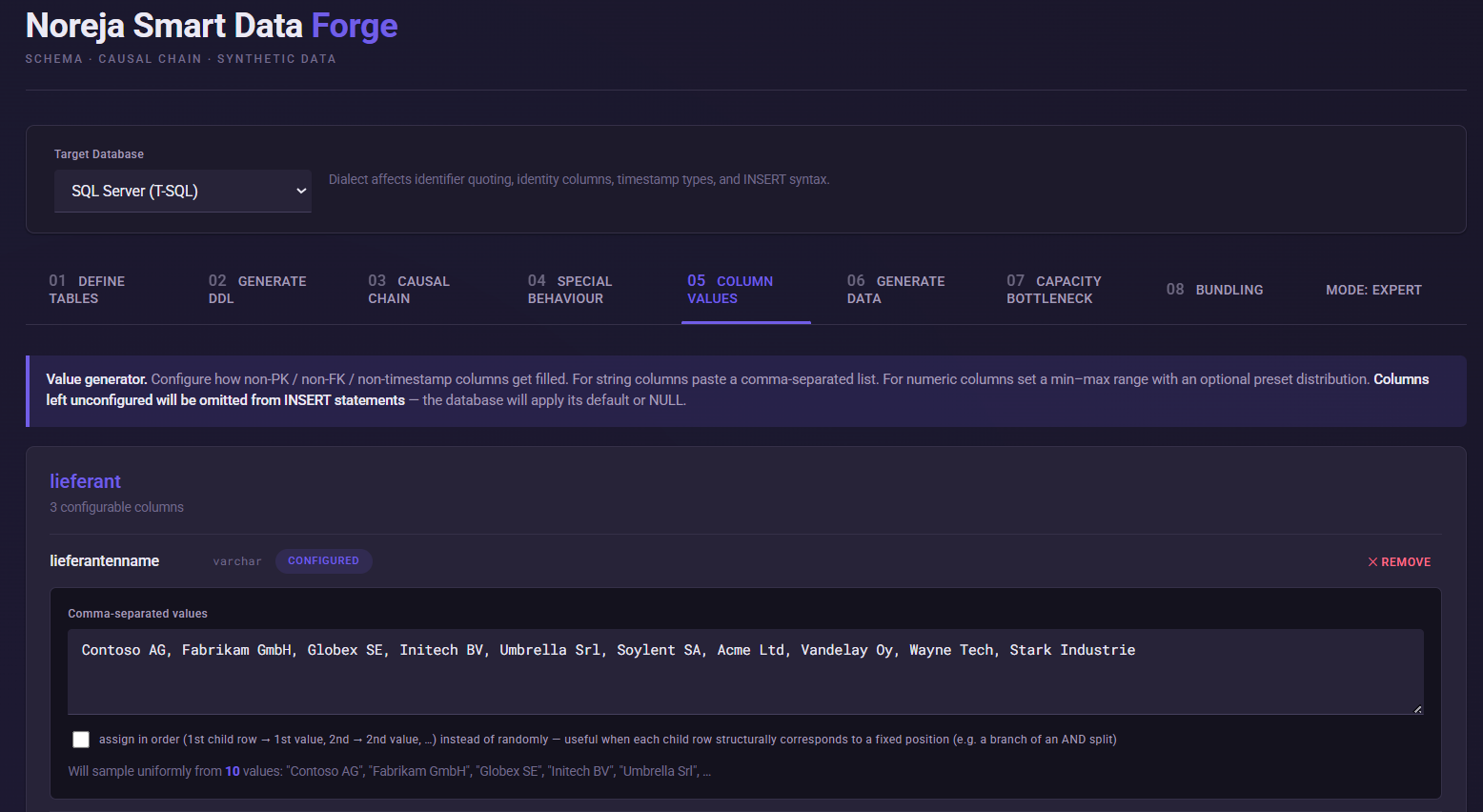
Under Column Values, it is determined which values the business attributes of the generated data sets receive.
For text attributes, for example, concrete value lists can be stored. Values can be drawn randomly or assigned in a fixed order at 1.
Numeric attributes can be generated using minimum and maximum values as well as different distributions. Presets are available for frequently used value ranges.
Date fields can be generated within a defined period.
Columns for which no configuration is made are not explicitly filled during generation. In this case, the database can, for example, use a default value or ,"NULL", use.
6. Generate Synthetic Data
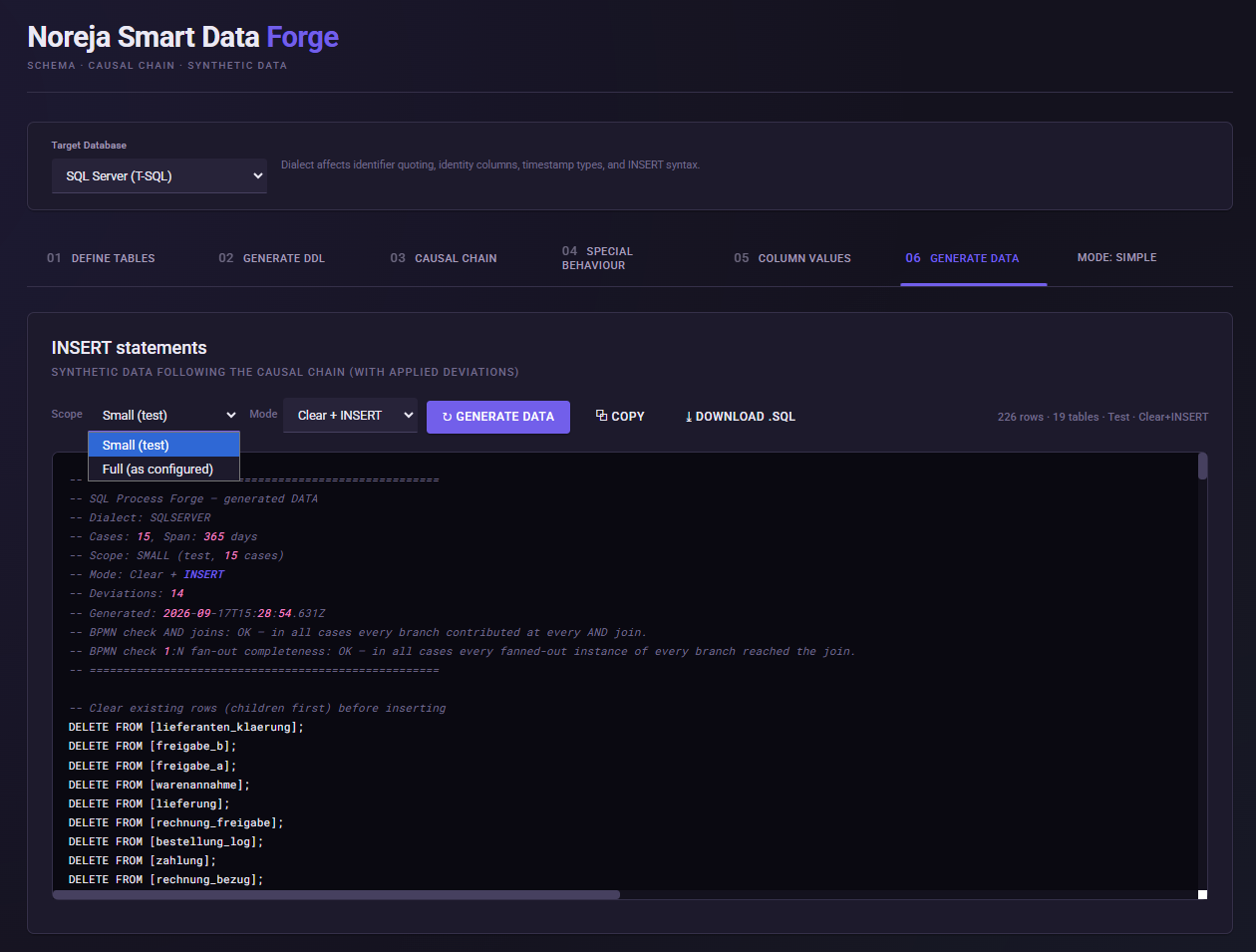
Under ,"Generate Data", the synthetic datasets are generated based on the data model, the causal process chain, the attribute configurations, and the defined deviations.
For tests, a small dataset can be generated first. For full generation, the number of cases configured in the Run Settings is used.
The result is output as SQL with the corresponding ,"INSERT", statements. Optionally, only the insertion of data or first the emptying and then the refilling of the tables can be prepared.
The generated SQL can be copied directly or downloaded as a file.
Simple Mode and Expert Mode
Simple Mode

For the basic generation of synthetic process data, the Simple Mode is sufficient.
The Expert Mode provides additional functions for more complex causal effects.
Expert Mode
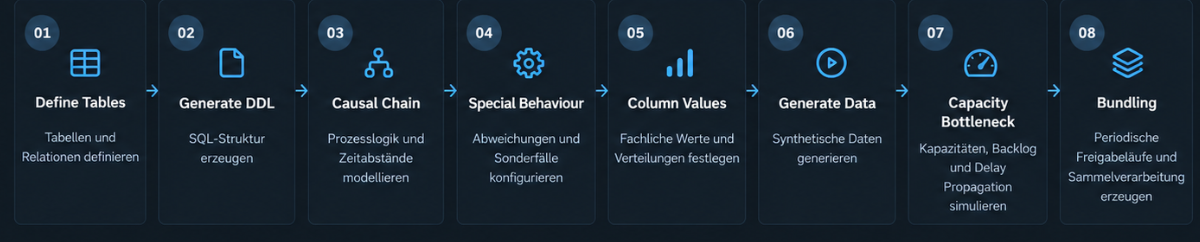
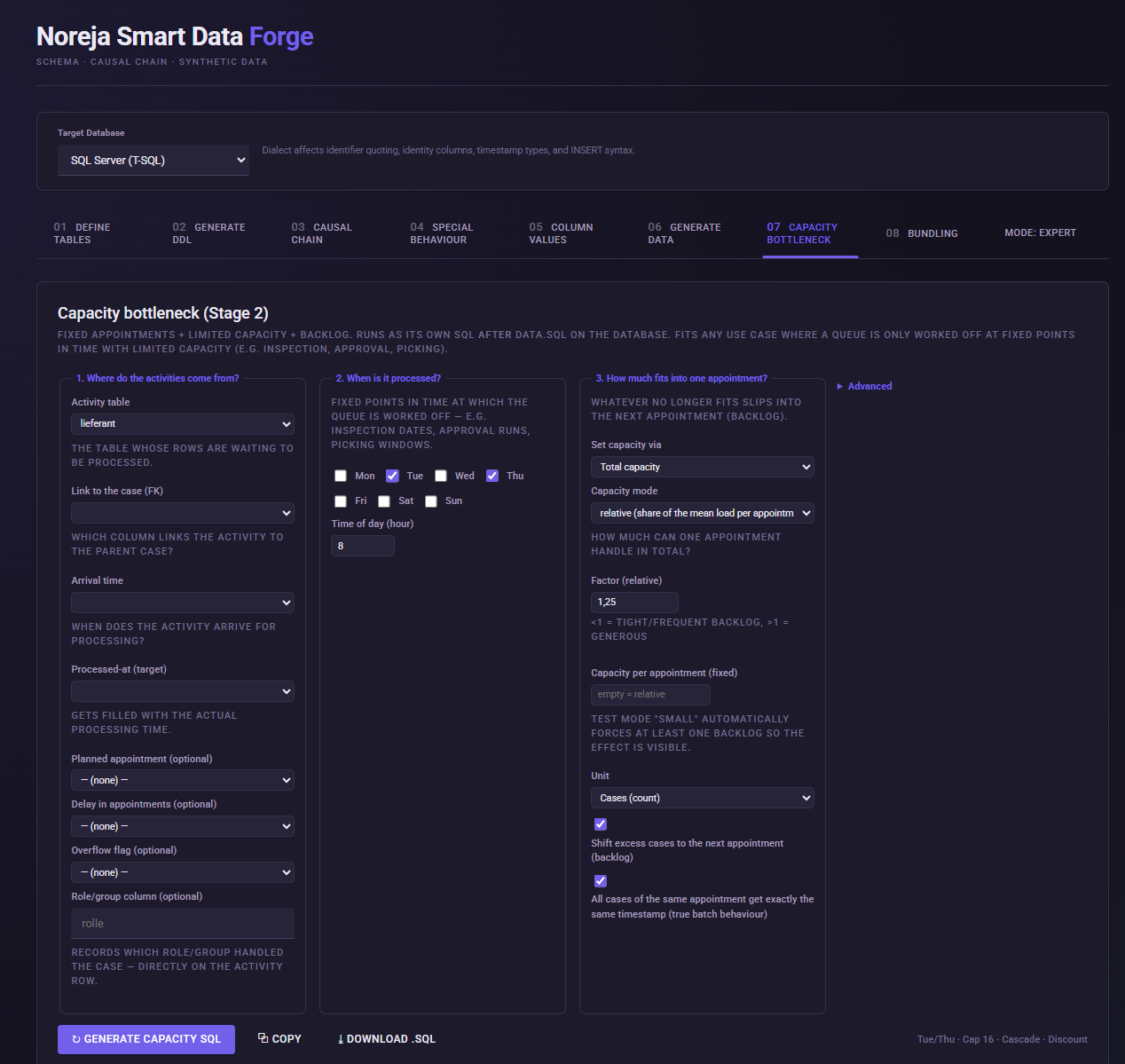
With Capacity Bottleneck, process steps can be modeled that are processed only at specific times and with limited capacity. Unprocessed operations form a backlog and are postponed to a later processing time. Resulting delays can be transferred to downstream business objects.
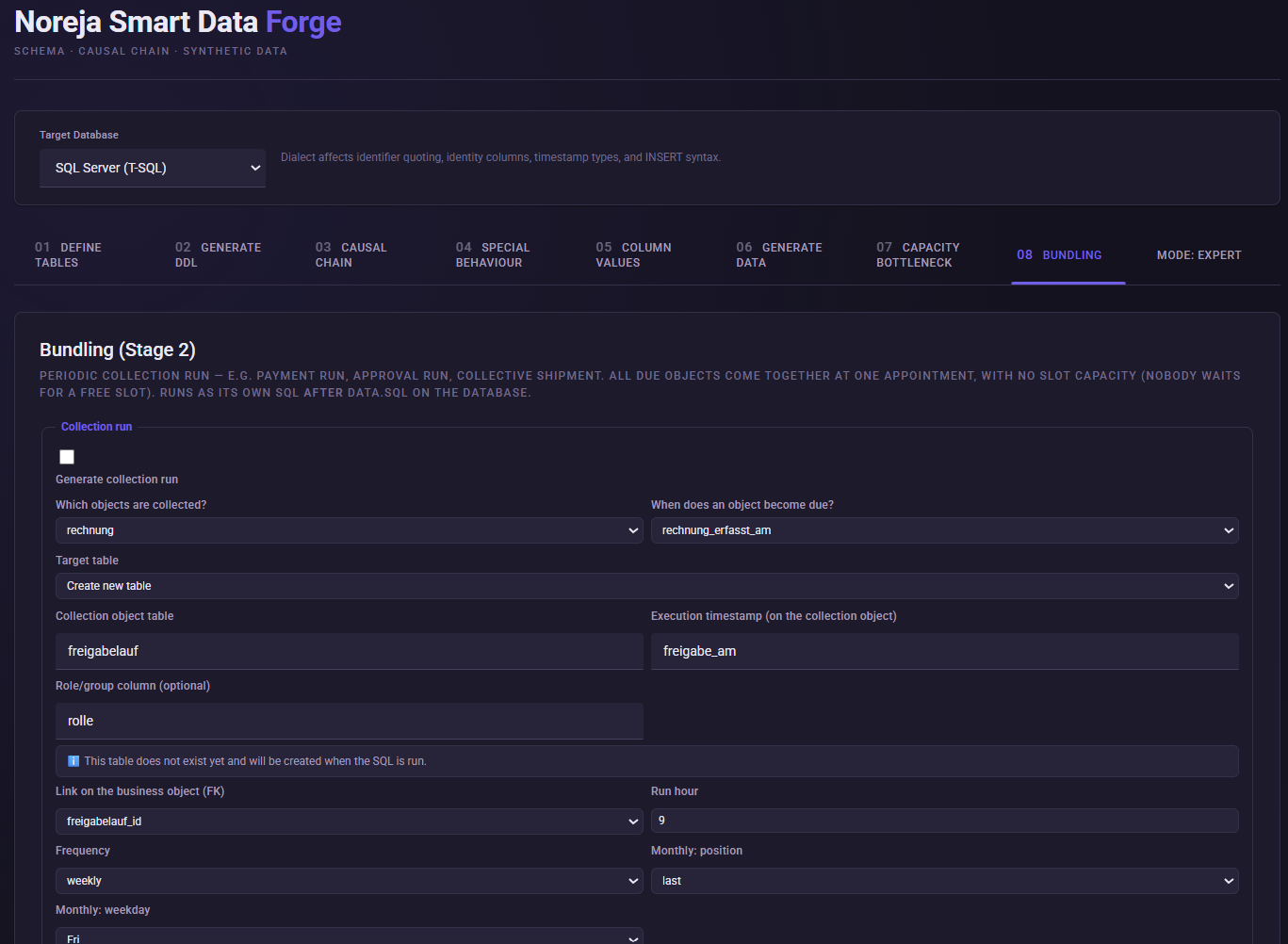
With Bundling, business objects can be grouped in regular collection runs, for example, in a payment run, release run, or collective shipment. Unlike with Capacity Bottleneck, there is no limited capacity per run.
These functions make it possible to synthetically map not only individual process variants but also structural causes for waiting times and temporal dependencies.
Save and reuse configuration
A created Smart-Data-Forge configuration can be saved as a JSON file and loaded again later.
Saved items include tables and relationships, process structure, deviation rules, attribute configurations, Run Settings, and settings from the Expert Mode.
This allows custom process models to be reused and iteratively developed.
Result
The result of the Smart Data Forge is a coherent synthetic data set, in which the data model, process structure, temporal behavior, attribute values, and defined process deviations are aligned.
This allows for the targeted generation of data sets for demonstrations, tests, and the development of causal Process Mining analyses, without having to use productive customer data.
What's next?
In the next articles, an analyzable Purchase-to-Pay dataset will be created step by step from the technical question. You will see how typical P2P problems are specifically generated in the data model and later analyzed in Noreja.