
Use Joined Properties
Joined properties are columns of other tables that come along with an object, without these tables becoming objects themselves. Use them for descriptive data: the supplier of an order, the material of an item, the cost centre of an invoice. Analysts can then see, compare and filter by these values in the Analyzer. This page explains how to add them.
Permissions: feature Builder: Edit, or an Edit share of the entity, to change the settings of an object. Adding objects needs Create. See Create and edit roles.
Joined Property or Own Object?
A table becomes an object if it records an event with its own time stamp. Tables that describe things, such as suppliers or materials, are better joined. In Purchase-to-Pay, the object "bestellposition angelegt (HW)" joins the material, order and supplier tables, so each item carries its material and its supplier. See Entity Modelling Best Practices.
Add Joined Properties to an Object
- Open the object's settings: right-click it on the canvas and choose Configure. See Configure Objects and Relationships.
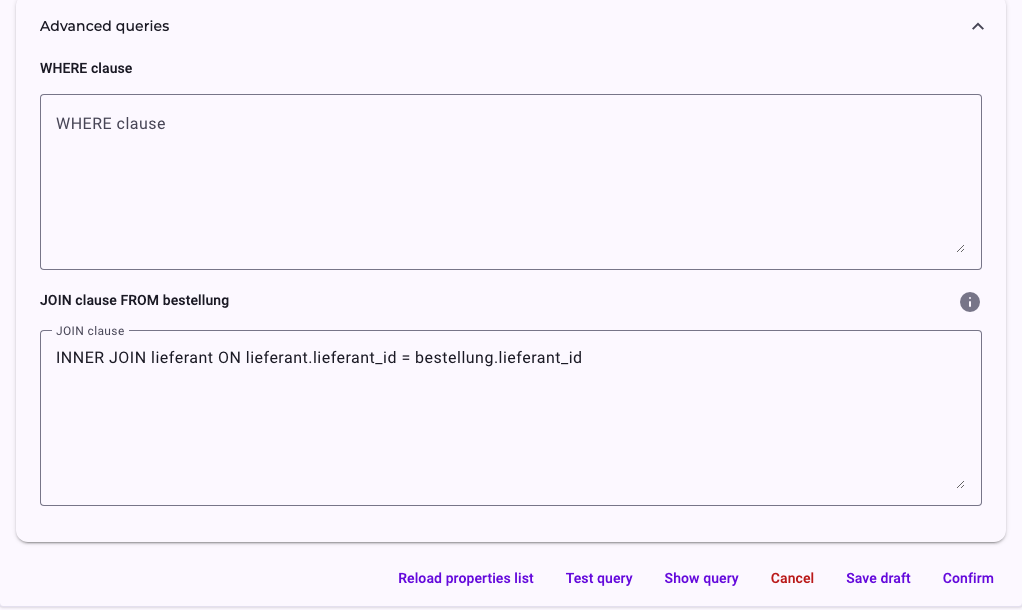
- Open Advanced queries and enter the JOIN clause, for example:
LEFT JOIN lieferant
ON lieferant.lieferant_id = bestellung.lieferant_id - Click Reload properties list.
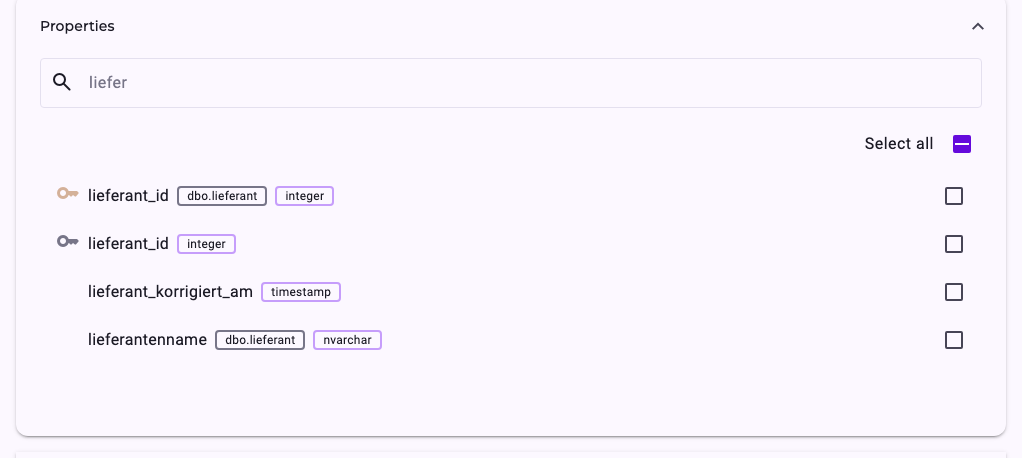
- Under Properties, tick the joined columns you need. They are marked with the table they come from.
- Click Confirm.
How to Write the JOIN Clause
- Start with the kind of join if you need one (INNER, LEFT, RIGHT, OUTER, FULL, CROSS or NATURAL), then JOIN and the table, then ON and the condition.
- Write the table as
schema.tableortable, using only letters, numbers and underscores, without quotes or brackets. Otherwise its columns don't show up in the properties list. - Several JOINs in a row are possible, for example from the item to the order and from the order to the supplier.
- The joined tables don't have to be selected in the step Select objects.
INNER or LEFT? An INNER JOIN keeps only rows that have a match in the joined table: an order without a supplier would disappear from the object. Use LEFT JOIN if every row of the object must stay, with empty values where nothing matches.
ServiceNow and OData Sources
For data sources connected through an interface, there is no JOIN clause. Under JOIN, choose a Join table from the tables of the entity and map its fields to the object's fields, the same way as in a data connection. One join table per object is possible.
Where Joined Properties Show Up
- Analyzer: the details of an activity list the joined properties with their table.
- Perspective: filters can be set up on them; they are listed under Joined tables. See Create a Perspective.
- Data connections: joined columns can be mapped as well; the picker lists them under Joined tables.
Related
- Configure Objects and Relationships
- Entity Modelling Best Practices
- Filter Cases in the Analyzer and Dashboards