
Quantities and Cardinalities
The numbers on activities and relationships in the process graph count executions, not cases, and cardinalities tell you how executions are connected. This page explains both with the Purchase-to-Pay example. To show them, tick Quantity and Cardinalities under Activity info and Path info in the settings next to the graph. See Elements in Noreja Process Graphs.
Quantity of an Activity
The quantity of an activity is how often it was executed across all cases you're looking at. It can be higher than the number of cases: in Purchase-to-Pay, the 5,520 orders have 5,976 executions of "bestellposition angelegt (HW)", because one order can contain several hardware items.
An execution done for several cases at once (batching), for example one invoice run for several invoices, counts once.
Quantity of a Relationship
The quantity of a relationship is how many executions of the first activity took it. The percentage next to it is the share of all executions of the first activity:
- "Bestellung erstellt" was executed 5,520 times.
- 4,132 of these executions led to at least one hardware item: the relationship to "bestellposition angelegt (HW)" shows 4,132 (75%).
An order with three hardware items counts once on this relationship, because it is one execution of "Bestellung erstellt". The arrow's thickness follows the percentage.
Why the Outgoing Relationships Don't Add Up
The relationships leaving an activity rarely add up to its quantity:
- Parallel steps: one execution can continue on several relationships at once. From "Bestellung erstellt", 86% go directly to "rechnung erfassung", 75% to hardware items and 19% to software items: together more than 100%.
- No next step: executions after which the case ends unexpectedly don't continue on any relationship. In the Process view, their number is shown on the activity.
- Violations: relationships shown as Disarray, Negligence or Rework have their own quantities. See Process Patterns: Disarray, Negligence, Rework and Allowed Deviations.
Cardinalities
The cardinality of a relationship tells you how many executions are connected on each side. The label reads in : out:
- out (right): to how many executions of the second activity one execution of the first activity leads.
- in (left): from how many executions of the first activity one execution of the second activity comes.
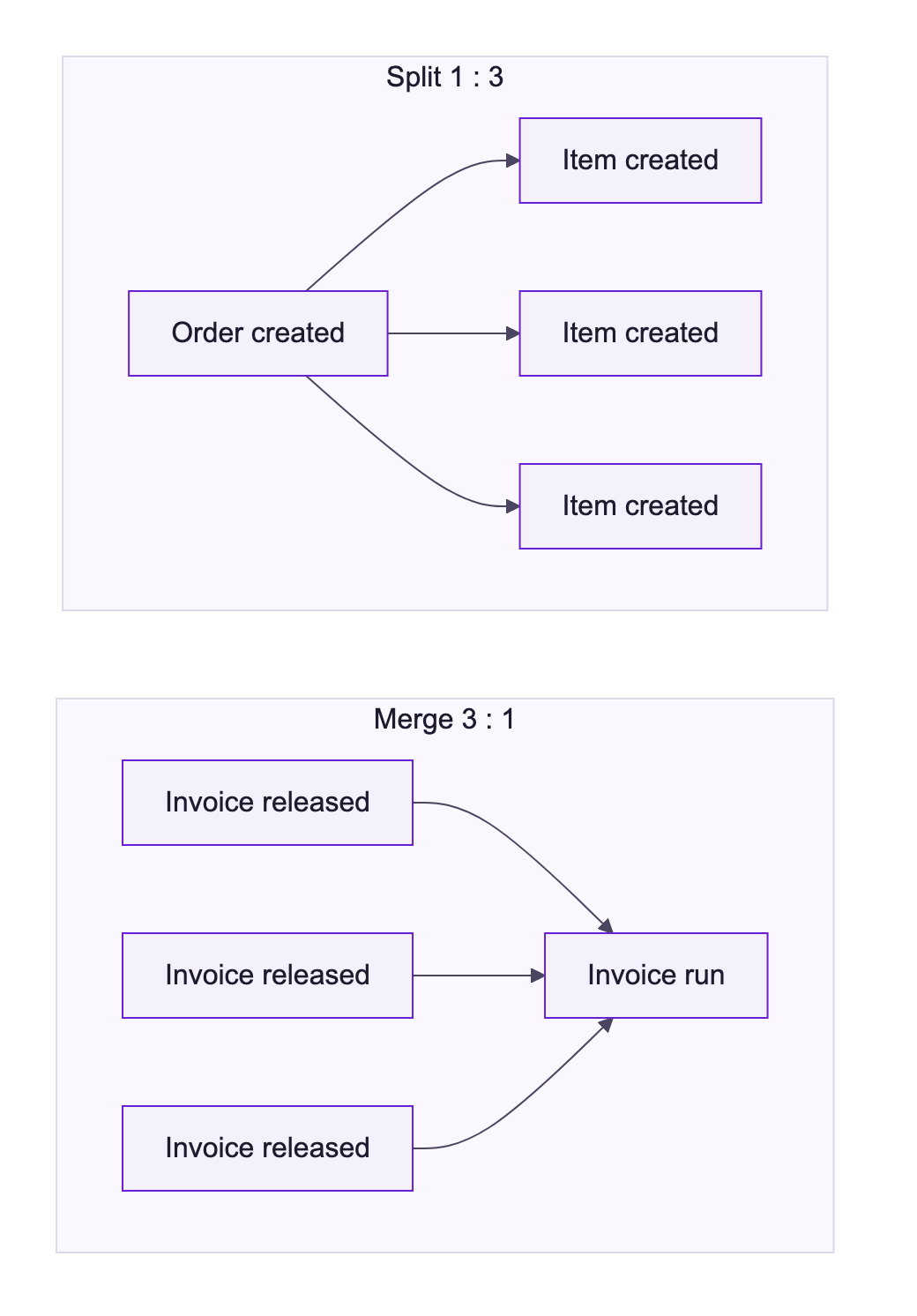
When the numbers vary between executions, each side shows the range minimum .. maximum. A 0 means that some executions have no such connection.
Relationship in Purchase-to-Pay | Cardinality | Meaning |
|---|---|---|
Bestellung erstellt → bestellposition angelegt (HW) | 1 : 0 .. 3 | Each hardware item belongs to exactly one order. One order has up to three hardware items, some have none. |
rechnung freigegeben_am → Rechnungslauf durchgeführt | 1 .. 3 : 1 | Within a case, one to three released invoices flow into one invoice run. Each invoice goes into exactly one run. Because cardinalities are counted per case, the run itself may also handle invoices of other orders. |
wareneingang eingegangen → wareneingang_pruefung geplant | 1 : 1 | Each goods receipt gets exactly one planned check, and the other way round. |
Cardinalities are counted within each case and then combined over all cases: the minimum of all cases and the maximum of all cases.
Cardinalities and Activity Shapes
The shape of an activity follows from the cardinalities of its relationships:
- Every relationship is at most 1 on both sides: Process activity (diamond).
- An outgoing relationship has more than 1 on the right: Divergent process activity, as "Bestellung erstellt" with up to three items.
- An incoming relationship has more than 1 on the left: Convergent process activity.
- Both at once: Con/div process activity. This describes how executions merge and split; it has nothing to do with loops or rework.
- Batched activities are always shown as Batching activity, whatever their cardinalities.
See Elements in Noreja Process Graphs.
Good to Know
- A cardinality of 1 : 1 doesn't mean that the relationship occurs once per case. It means that each execution is connected to exactly one execution on the other side, however often that happens in a case.
- In the Case view with Instance, quantities and cardinalities aren't available: every execution is shown on its own.
- With Limit path duration to:, quantities and cardinalities show the limited value and the total in brackets, for example 3 (5). See Positive and Negative Times.