
From Events to Process Model: What Is Aggregated Where
Every figure in the Analyzer and on dashboards is calculated from the activities of the cases, either during the import or at the moment you open a view. This page explains what Noreja calculates when, and what a filter changes on each level. It builds on Process Models and Levels: Case, Variant, Process Model.
At Import: All Levels Are Built and Stored
When a perspective is imported, Noreja reads the activities of all cases from the data source and builds the four levels from them: case instances, case models, variants and the process model. It calculates their figures and stores them, so that unfiltered views open quickly. See Import Entities and Perspectives: Status and Errors.
- Every import calculates everything again from the current data. Nothing is updated piece by piece.
- While a new import runs, the previous version of the perspective stays available in the Analyzer and on dashboards.
What Is Calculated on Each Level
Level | Calculated |
|---|---|
Case instance | Start and end of the case (the earliest and latest time stamp of its activities), the cycle time in between, and for each activity its time stamps and the time since the start of the case. For each relationship from one activity to the next: the transition duration, from the start of the first to the start of the second activity. |
Case model, variant and process model | For each activity: how often it was executed. For each relationship: how often it was taken, the transition durations (average, minimum, maximum) and the cardinalities. Rework counts, and the values of additional properties from your data, combined by data type (see below). |
The three combined levels differ only in which executions they combine: the case model those of one case, a variant those of all cases with the same structure, the process model those of all cases.
Noreja has no "duration" of a single activity: activities have a start time stamp and possibly a change time stamp. Times between activities are transition durations. See Average Time Calculation.
How Additional Properties Are Combined
Besides time stamps, activities can carry further properties from your data, for example an order value or a supplier name. On the case model, the variant and the process model they are combined according to their data type:
Data type | Combined as |
|---|---|
Numbers | Sum, average, minimum and maximum |
Text and yes/no values | The list of different values |
Dates | Average, minimum and maximum |
Durations | Average, minimum and maximum |
When you click an activity in the Analyzer, the details show such properties as statistics of the cases you're looking at: number of entries, average, sum and distribution for numbers, the most frequent values with their share for text.
A Filter Keeps or Drops Whole Cases
A filter never removes single activities. It decides for each case whether it is included, and the included cases stay complete. If you filter for cases that contain the activity "Manuelle Klärung", the graph shows these cases from start to end, with all their other activities, such as the order and the invoice entry, not just "Manuelle Klärung". See Filter Cases in the Analyzer and Dashboards.
With a filter, Noreja calculates the figures from the matching cases when you open the tab. With very large perspectives this can take a moment.
Example from Purchase-to-Pay, with the filter Violations set to cases with violations:
View | Case amount | Variant amount | Cycle time (avg.) |
|---|---|---|---|
All cases | 5,520 | 39 | 3W 3D |
Variant #1 selected | 1,130 | 1 | 3W 4D |
Filter Violations: with violations | 2,016 | 35 | 2W 2D |
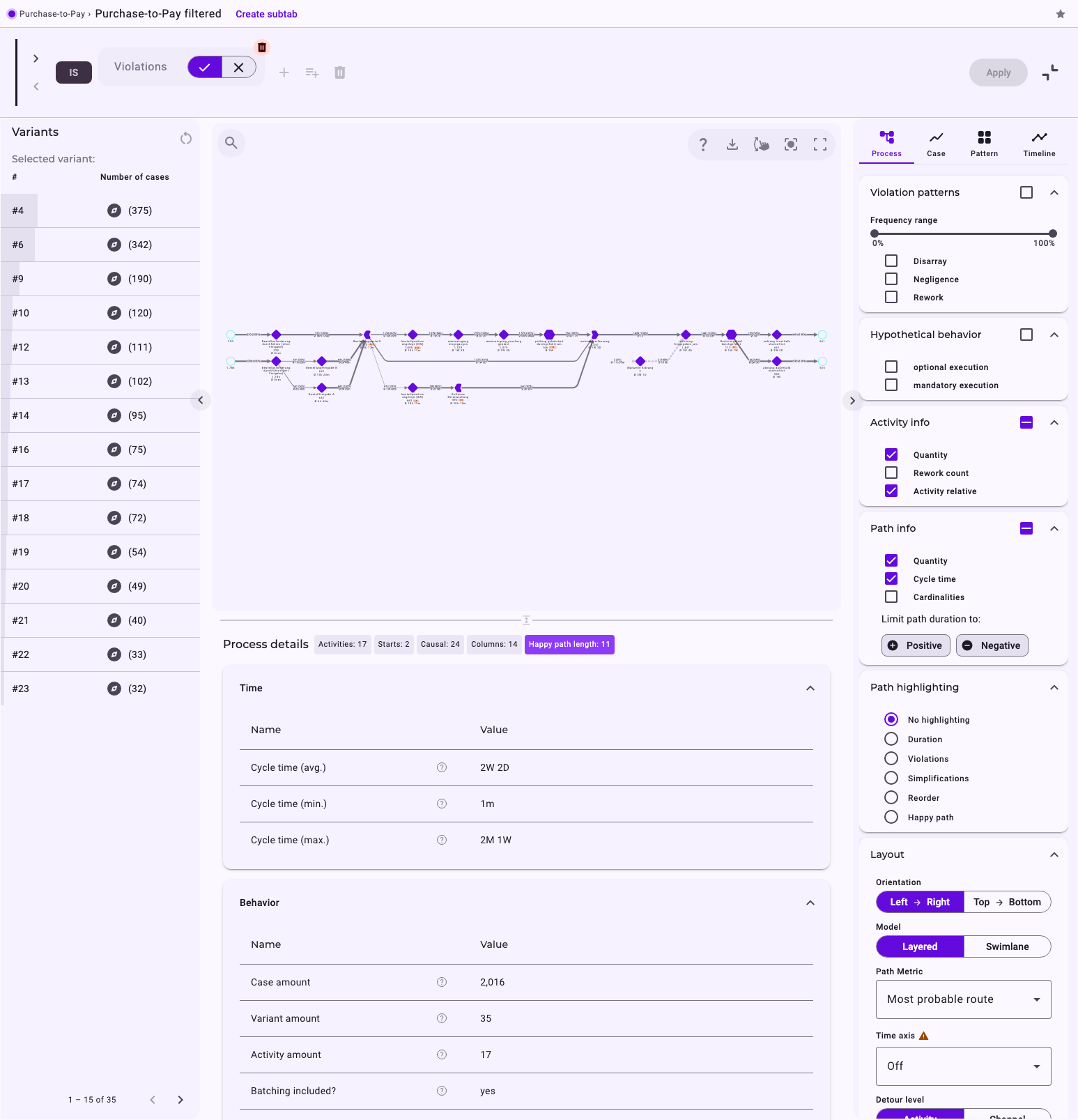
The cases with violations are faster on average than all cases. One possible reason: an unexpected end also counts as a violation (Negligence), so incomplete cases that stop early are part of this set. See Process Patterns: Disarray, Negligence, Rework and Allowed Deviations.
What a Filter Changes on Each Level
Because a filter works on whole cases, its effect depends on the level you look at:
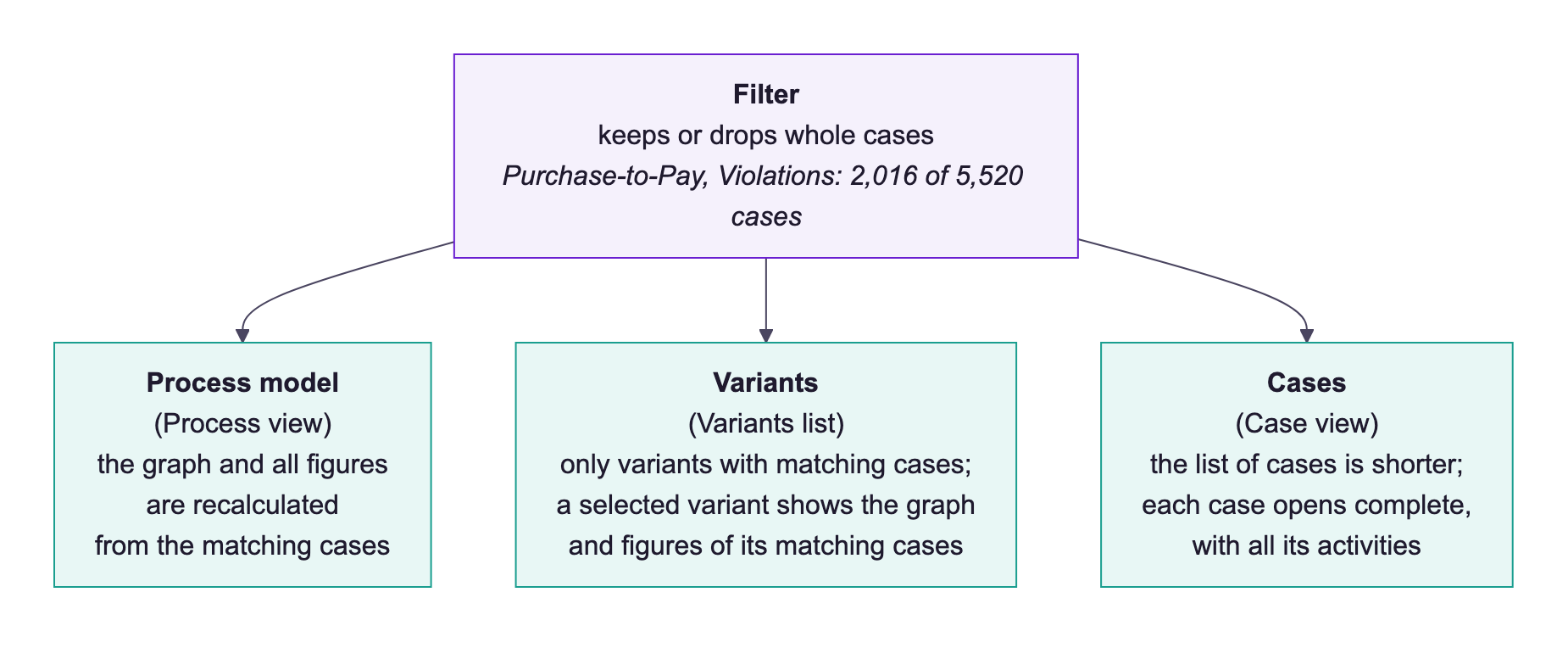
- Process model (Process view): the graph and its figures change. Activities and relationships that only occur in dropped cases disappear, and quantities, transition durations and cardinalities are calculated from the matching cases only. The details table shows the figures of these cases. See Work with the Process View.
- Variants (Variants list): the list changes. It shows only the variants that have matching cases, with their number of matching cases. When you select a variant, its graph and figures also refer only to its matching cases.
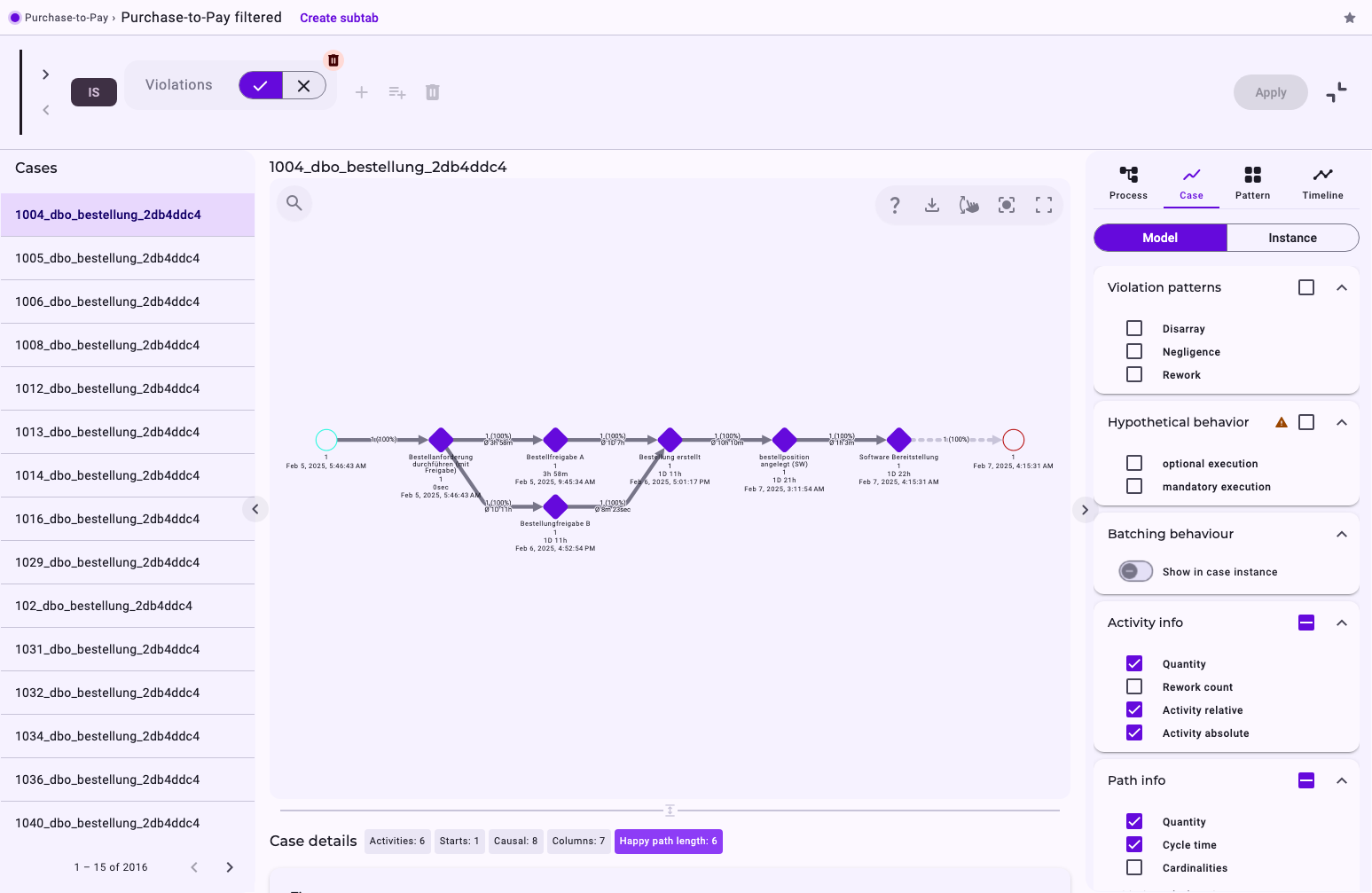
- Cases (Case view): only the list of cases changes. It shows the matching cases; a case you open is shown complete, with all its activities and figures, exactly as without the filter. See Work with the Case View.
Good to Know about Filtered Views
- The graph shows the same kind of values with or without a filter: how often activities and relationships occurred, average transition durations and cardinalities.
- Averages with and without a filter can differ by up to one second, because they are rounded differently.
- Average transition durations are taken over all executions of a relationship, while the cycle time is averaged over cases. See Average Time Calculation.
Variant Numbers Can Change
Variants are numbered at every import by their number of cases (most frequent first). After a new import with more or changed data, the numbers and order of the variants can change, and a case can belong to a different variant if new activities were added to it.
With a filter, the Variants list shows only the variants of the matching cases, sorted by their number of matching cases. The variants keep their numbers, so the list can start with #4 or #6.