
System Information and Trust Center
Under Information in the settings you find the version of your Noreja installation, a few usage figures and the link to Noreja's Trust Center. The version is what Noreja's support asks for first.
Permissions: System and Trust Center: everyone. Usage and Theme: Customer admins only.
System
Open Settings (the gear icon) and choose System under Information; see Navigating Noreja. Everyone can open it.
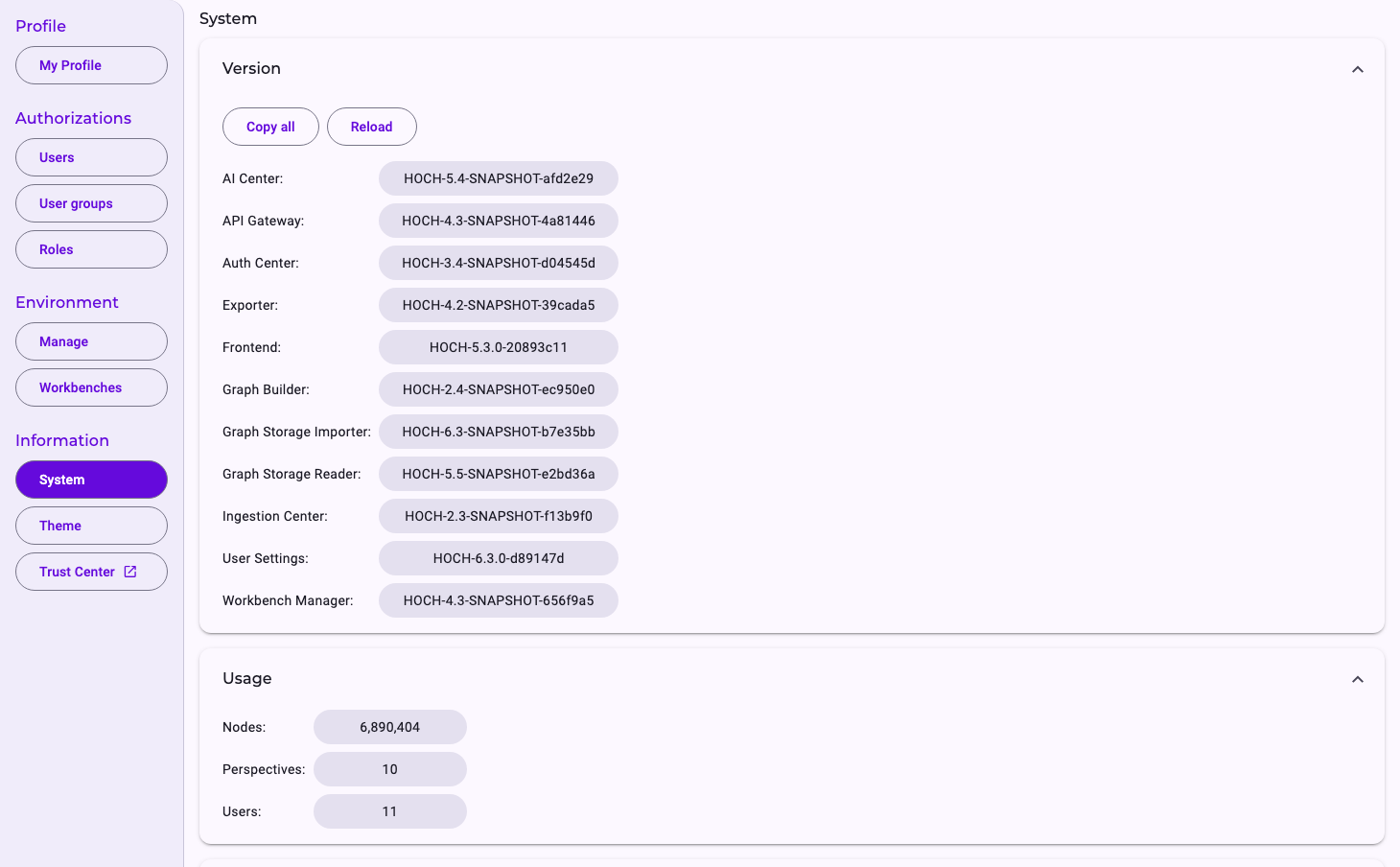
- Version lists the version of each part of Noreja. Copy all copies them all, for example for a support request; click a single version to copy it. Reload updates the list.
- Usage (Customer admins only): the number of Nodes in the process database, including earlier import versions, of Perspectives and of Users, including users who haven't accepted their invitation yet.
Customer admins also see technical settings of the installation below. They're meant for Noreja's support.
Trust Center
Trust Center opens Noreja's public Trust Center in a new browser tab, with information on security, data protection and compliance, for example for your data protection officer. How Minerva handles your data is described in Minerva: Models, Data Flow and Data Protection.
Theme
Theme (Customer admins only) shows the colours and design elements of the interface for reference. Nothing can be changed there. Your logo and colours are set under Manage; see Environment Settings: Branding, AI and Import.