
Noreja Smart Data Forge - Tutorial P2P - Overview
TL;DR
Goal: Understand how a synthetic dataset is created from a business process idea.
Prerequisites: Basic knowledge of SQL, relational data models, and PK/FK relationships.
Result: You will know the basic workflow and can start with the P2P example.
From Business Question to Dataset
The Noreja Smart Data Forge should not be understood as pure SQL or random data generation.
The starting point is a business question
Business Question: Are there orders that bypass the intended approval path?
This results in a technical data pattern: An order is created even though an expected approval step was not regularly completed.
Business Question: What impact does a poorly performing supplier have on process lead time?
This creates a causal relationship: For a specific supplier, longer time intervals between process steps are deliberately generated.
In the later P2P tutorial, the following scenarios, among others, will be built:
Maverick Buying → poor supplier performance → order change/rework → order before approval → open processes → working capital and discount loss
The focus is not only on the technical error pattern, but on the question, what business behavior should be visible in the generated dataset
The simplified Purchase 2 Pay - Example
All subsequent articles use the same Purchase-to-Pay process of a special machine manufacturer.
We start with the construction of:
purchase requisition
approval_a
approval_b
purchase order
purchase order item
This explains both the approval logic and the first 1:N relationship between purchase order and purchase order item.
Subsequently, a prepared basic configuration is imported. It extends the model with the remaining P2P objects and complete attributes, but initially does not yet contain ,Special Behaviours, and no
The Tutorial Configurations
Three successive configurations are available for the documentation:
Config 1 – Basic
Complete Simple data structure and normal process logic, but without error patterns and causal special rules.
Config 2 – Simple
Reference status after all Simple use cases.
Config 3 – Expert
Extension of the Simple model with additional procurement paths, Capacity Bottleneck, Backlog, Delay Propagation, and Bundling.
The actual learning path consists of building the functions yourself. The config files serve as a defined starting or reference point.
Run Settings of the Tutorial
To keep the example clear and reproducible, the tutorial configs use:
Database: SQL Server
Number of cases: 500
Start date: 2025-01-01
Span: 90 days
Seed: 42
A seed enables reproducible random values; without a seed, Smart Data Forge uses true random drawing for the respective run. The corresponding settings are located under Run settings
Save and load configurations
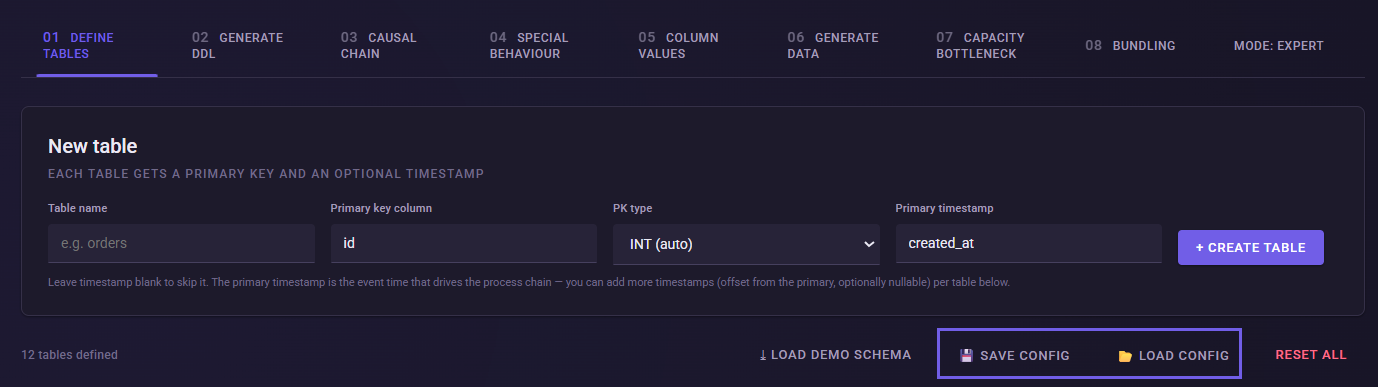
With Save config, the complete current work status can be saved as a JSON configuration.
Load config loads such a state completely back into Smart Data Forge. The existing work state is replaced and not merged with it. The config includes, among other things, tables, slots, behaviors, conditional rules, column values, run settings, and expert configurations.
In the tutorial, intermediate saving is optional. At the end of the Simple or Expert learning path, your own state can be compared with the respective reference config.
What's next?
In the next article, we will create the first tables of the P2P model ourselves and connect the objects via Foreign Keys.
The goal is not yet to generate process errors. First, we will create a comprehensible relational foundation on which later process variants will be built.