
Environment Settings: Branding, AI and Import
The page Manage holds settings that apply to your whole company: your logo and colours, the AI settings for Minerva's knowledge, and the clean-up of old import versions. This page explains each.
Permissions: Customer admins; the section AI settings also with feature Context: Edit. See Create and Edit Roles.
Open the Settings
Open Settings (the gear icon) and choose Manage under Environment; see Navigating Noreja. Customer admins see all three sections. Users whose role has Context with Edit see only AI settings.
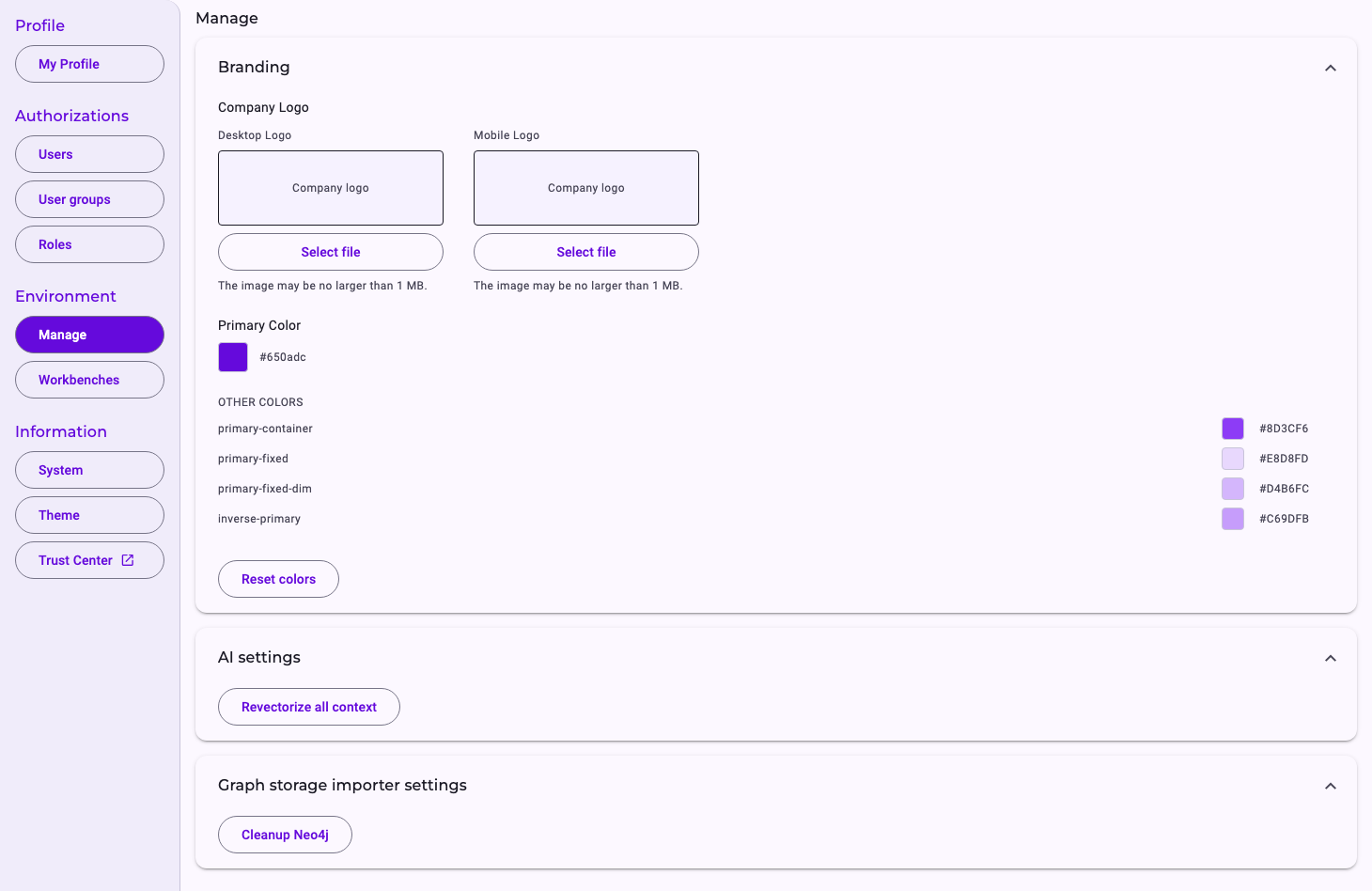
Branding
- Company Logo: upload a Desktop Logo (wide) and a Mobile Logo (narrow) with Select file, up to 1 MB each. The logo is saved right away and replaces the Noreja logo in the top bar. A logo can be replaced, not removed.
- Primary Color: pick your main colour; Noreja derives the matching shades from it. Under Other Colors you can adjust these shades one by one.
- Reset colors goes back to Noreja's colours.
Changes are saved automatically and apply to everyone in your company. Presentations and documents that Minerva creates use your logo and colours as well; see What Minerva Can Do.
AI settings
Revectorize all context rebuilds the search index of all knowledge in the Context Hub (see Context Hub: Knowledge for Minerva); documents are processed again completely. It's only needed when Noreja asks you to, for example after a change of the AI model used for the search. It runs in the background, can take a long time for many documents, and causes AI costs. Noreja doesn't ask for confirmation and shows no progress.
Graph storage importer settings
When an entity or a perspective is imported again, Noreja keeps the previous version as an archive until it's cleaned up. Cleanup Neo4j deletes these previous versions now; the current data isn't affected. Noreja does this automatically every night, so you only need it to free space immediately. While an import is running, the clean-up is skipped. It can't be undone. How imports and their versions work is described in Import Entities and Perspectives: Status and Errors.
Related
- Context Hub: Knowledge for Minerva
- Import Entities and Perspectives: Status and Errors
- System Information and Trust Center