
Noreja Smart Data Forge - Tutorial P2P Data Model
TL;DR
Goal: Manually create the first five tables of our P2P example and understand their PK/FK relationships.
Prerequisites: Smart Data Forge is open,Target Databaseis set toSQL ServerandMode: Simpleis active.
Result:bestellanforderungfreigabe_afreigabe_bbestellungandbestellpositionare present as the relational foundation of the P2P model.
Why do we start with the data model?
A Purchase-to-Pay process does not consist of a single table.
A purchase requisition can lead to a purchase order. A purchase order, in turn, can contain multiple purchase order items. Approvals, suppliers, goods receipts, invoices, and payments are independent objects with their own keys and timestamps.
Smart Data Forge explicitly maps these relationships.
Therefore, we first define the data structure and only then the causal process chain Causal Chain
In this article, we deliberately create only a didactically reduced excerpt. After the manual introduction, later Config 1 – Basis will be loaded, which contains the complete Simple schema.
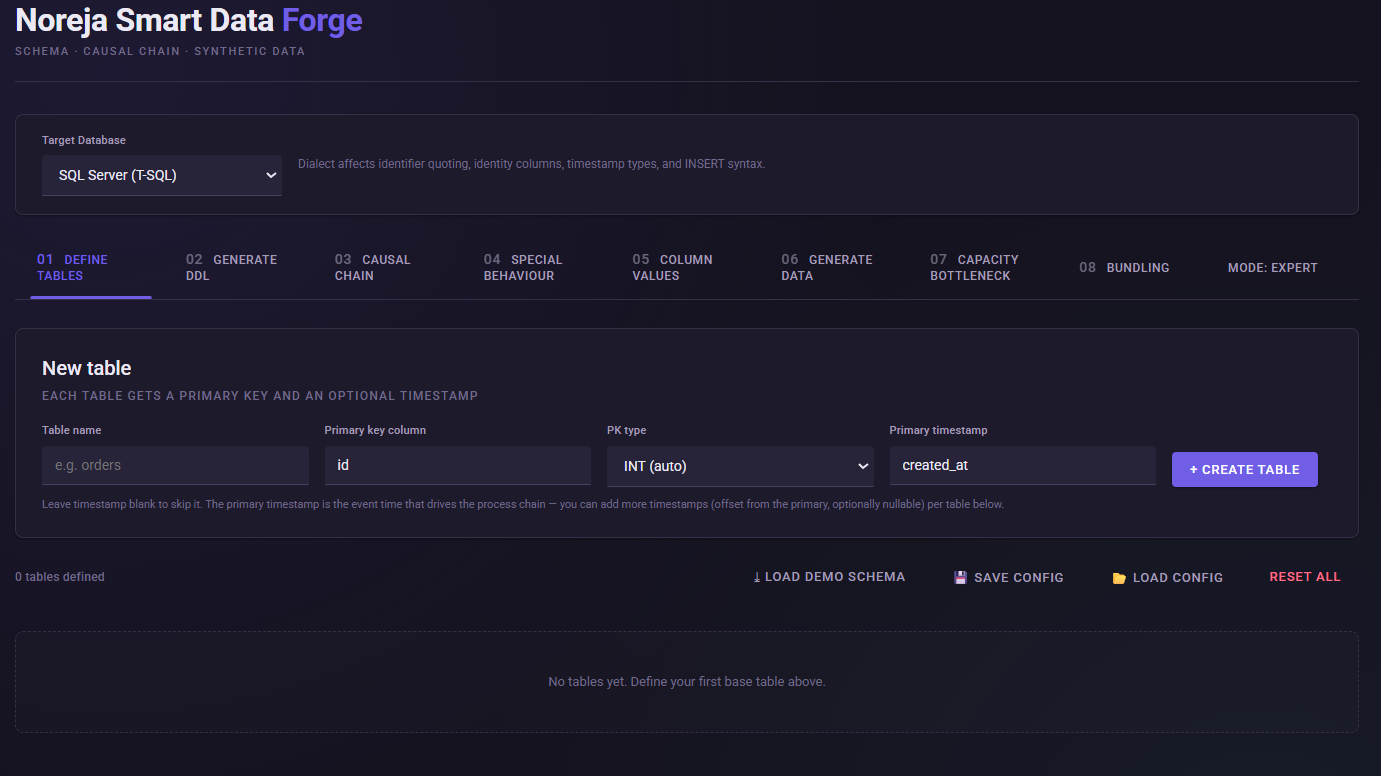
1. Select SQL Server
Open 01 Define Tables
For Target DatabaseSQL Server (T-SQL)
The selection influences the DDL and INSERT statements generated later. For example, logical data types for SQL Server are mapped to, among others, INTNVARCHARDECIMALBIT and DATETIME2 .
2. Create table bestellanforderung
Create the following table:
Setting | Value |
|---|---|
Table name |
|
Primary key |
|
PK type |
|
Primary timestamp |
|
Smart Data Forge treats the first timestamp of a table as Primary Timestamp. It represents the event time at which the table will later be integrated into the process chain.
Then add the following business columns:
Column | Type | Usage |
|---|---|---|
|
| Person requesting the procurement |
|
| organizational assignment |
|
| expected procurement value |
|
| Type of procurement |
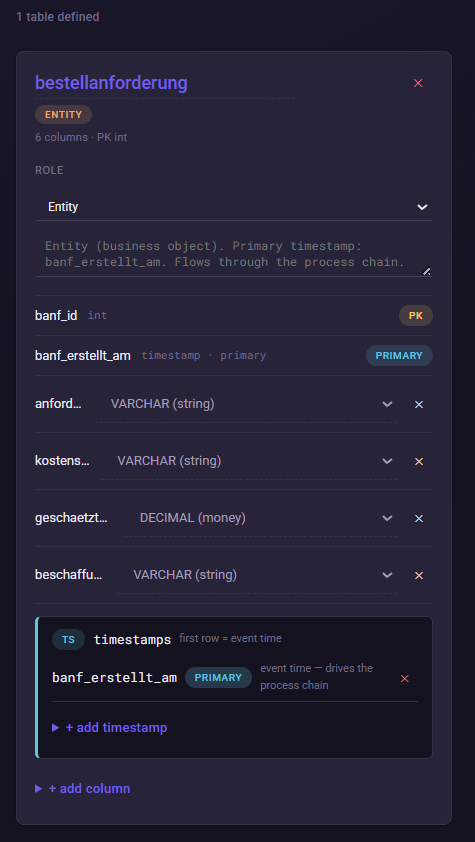
This structure corresponds to the business foundation of the complete P2P demo set, but is deliberately kept compact for manual entry. In the complete model, exactly these attributes are already used for the purchase requisition.
Why do we need these attributes?
The attributes are not only used later to generate realistic data.
You can also causes for specific process behavior represent.
The requester becomes relevant later in the Maverick Buying scenario, for example. The estimated_value can be used for value-dependent approval logic.
This already establishes the connection between business attribute and later process behavior
3. Create freigabe_a and freigabe_b
Next, we create two approval objects.
freigabe_a
Setting | Value |
|---|---|
Table name |
|
Primary key |
|
PK type |
|
Primary timestamp |
|
Additional column:
Column | Type | Foreign Key |
|---|---|---|
|
|
|
freigabe_b
Setting | Value |
|---|---|
Table name |
|
Primary key |
|
PK type |
|
Primary timestamp |
|
Additional Column:
Column | Type | Foreign Key |
|---|---|---|
|
|
|
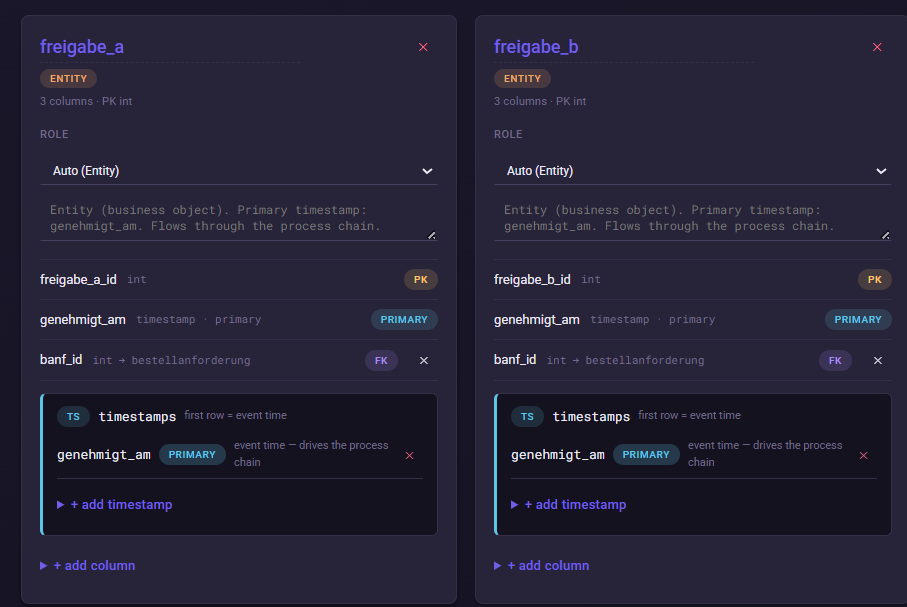
Note on Release Structure
In the complete P2P model, freigabe_a and freigabe_b are created as separate tables due to a technical limitation of the simulator: Since the same table can only be placed once in the Causal Chain, a functionally identical release, which was needed both within a branch and outside, had to be technically duplicated; both tables therefore reference the bestellanforderung
4. Create table bestellung
Then create bestellung.
Setting | Value |
|---|---|
Table name |
|
Primary key |
|
PK type |
|
Primary timestamp |
|
Add the following columns:
Column | Type | FK / Note |
|---|---|---|
|
| FK →
, nullable |
|
| will be fully connected after importing the base config |
|
| functional order value |
|
| e.g., EUR, USD, CHF |
|
| current functional status |
|
| later for identifying synthetic anomalies |
|
| functional product group |
Additionally, add via + add timestamp the following timestamps:
bestellung_freigegeben_am
bestellung_geaendert_am
The first timestamp bestellung_erstellt_am remains the Primary Timestamp. Additional timestamps are modeled relative to this primary point in time. The engine generally keeps regular timestamp sequences causally consistent; intentional anomalies such as Wrong Order are only applied afterwards as deviation patterns.
For this manual entry, not every offset and null probability needs to exactly match the later full model. The complete configuration will then be loaded via the Base Config.
5. Create table bestellposition
Finally, we create bestellposition
Setting | Value |
|---|---|
Table name |
|
Primary key |
|
PK type |
|
Primary timestamp |
|
Add the following columns:
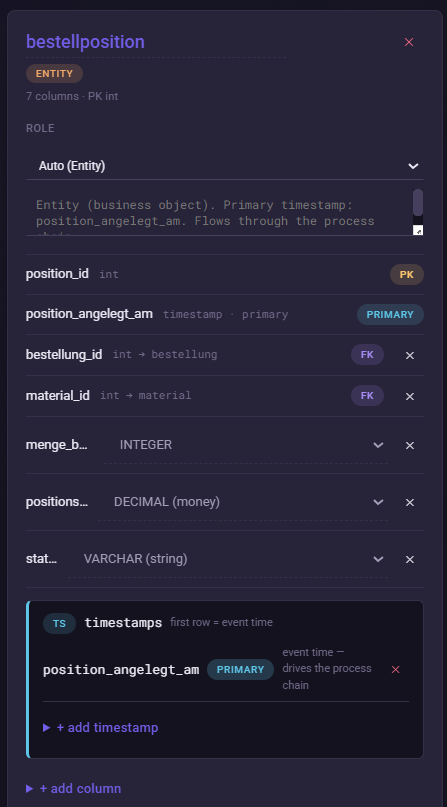
Column | Type | FK / Note |
|---|---|---|
|
| FK →
|
|
| will later be linked to the reference table
|
|
| ordered quantity |
|
| Value of the individual item |
|
| Status of the order item |
The complete demo model uses the same central fields and connects bestellposition via bestellung_id to the order.
The previous relational model
After this step, the simplified structure is as follows:
bestellanforderung
freigabe_afreigabe_b
bestellungbestellposition
Important: This representation initially shows data relationships. It does not yet fully state the order in which objects are created or which approval path applies to a case.
We then define this process logic under Causal Chain
Why is bestellung → bestellposition a 1:N relationship?
An order can contain multiple items.
In the data model, this is mapped via the FK bestellposition.bestellung_id.
However, the actual number of generated order items is not defined in the FK itself. It is set later in the Causal Chain as Outgoing Cardinality.
In the existing P2P demo set, this relationship is set to 1 to 3 items per order with the distribution skew_low
This results in more frequent orders with few items and less frequent orders with the maximum number.
The Smart Data Forge actually creates separate child rows with their own primary keys for a 1:N cardinality.
We will make the specific setting in the next article.
Typical errors / things to watch out for
FK and Causal Chain are not the same.
A Foreign Key describes how data records are relationally connected. Only the Causal Chain defines when and in what quantity these objects are created per case.
Choose Primary Timestamp carefully.
The first timestamp of a table controls its primary temporal position in the process. Additional timestamps should not be accidentally used as the primary event.
Keep column names unique.
The Smart Data Forge prevents duplicate names within the same table. PK, timestamp, and regular column names must not overlap.
Don't configure too much yet.
The manual setup is intentionally reduced. In the next step, we will first learn the process logic. Afterwards, we will switch via Config 1 – Basis to the complete Simple-P2P model.
Next step
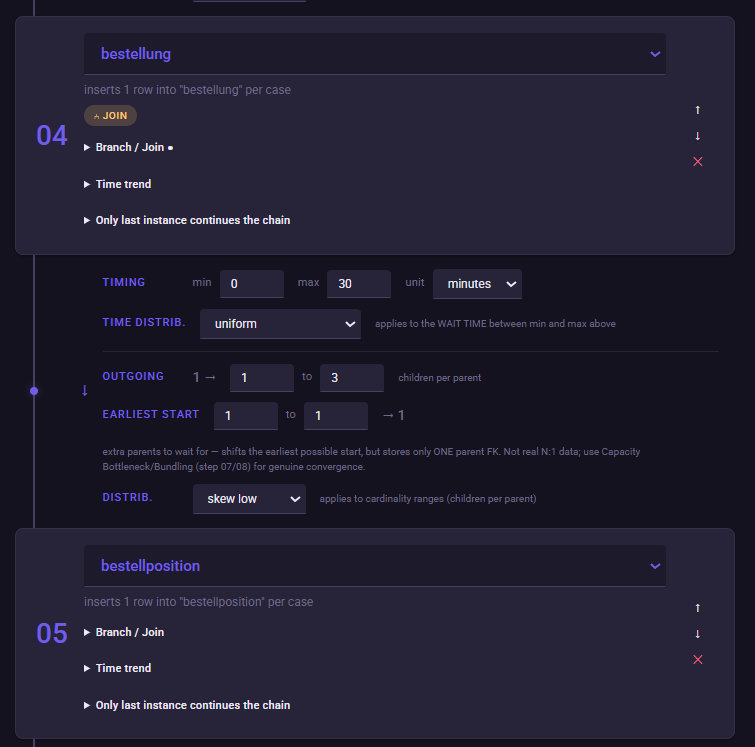
In the next article, we will configure under Causal Chain
- the two approval paths,
- their consolidation before the order,
- the relationship between order and order item,
- the 1:N cardinality with 1–3 items,
- the basic time intervals.